
You can easily access your TapMango invoices by going to our backend website, portal.tapmango.com and signing in with your merchant login.
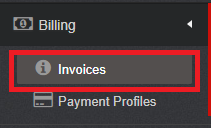
Click on Billing -> Invoices
Click on the PDF icon beside the invoicing date

After clicking the icon the download will automatically start and you can either save the PDF or print it out.
Questions?
If you have extra questions don't be shy and talk to us and we'll be happy to help!
Comments
0 comments
Article is closed for comments.