
Related Articles:
How Do I Send My Customers a Promotion, Offer, or Announcement?
After you have created a Quick Campaign, you can send yourself a Test Message to see what it will look like from your customers' perspective.
View Your Quick Campaign
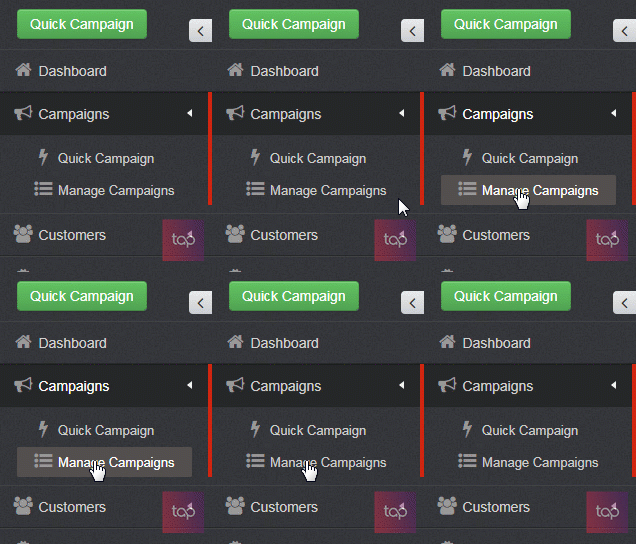
To view your created Quick Campaign, start by clicking on Manage Campaigns.
You will then be redirected to a page listing all of your Campaign folders. You will then click on the Quick Campaigns folder.
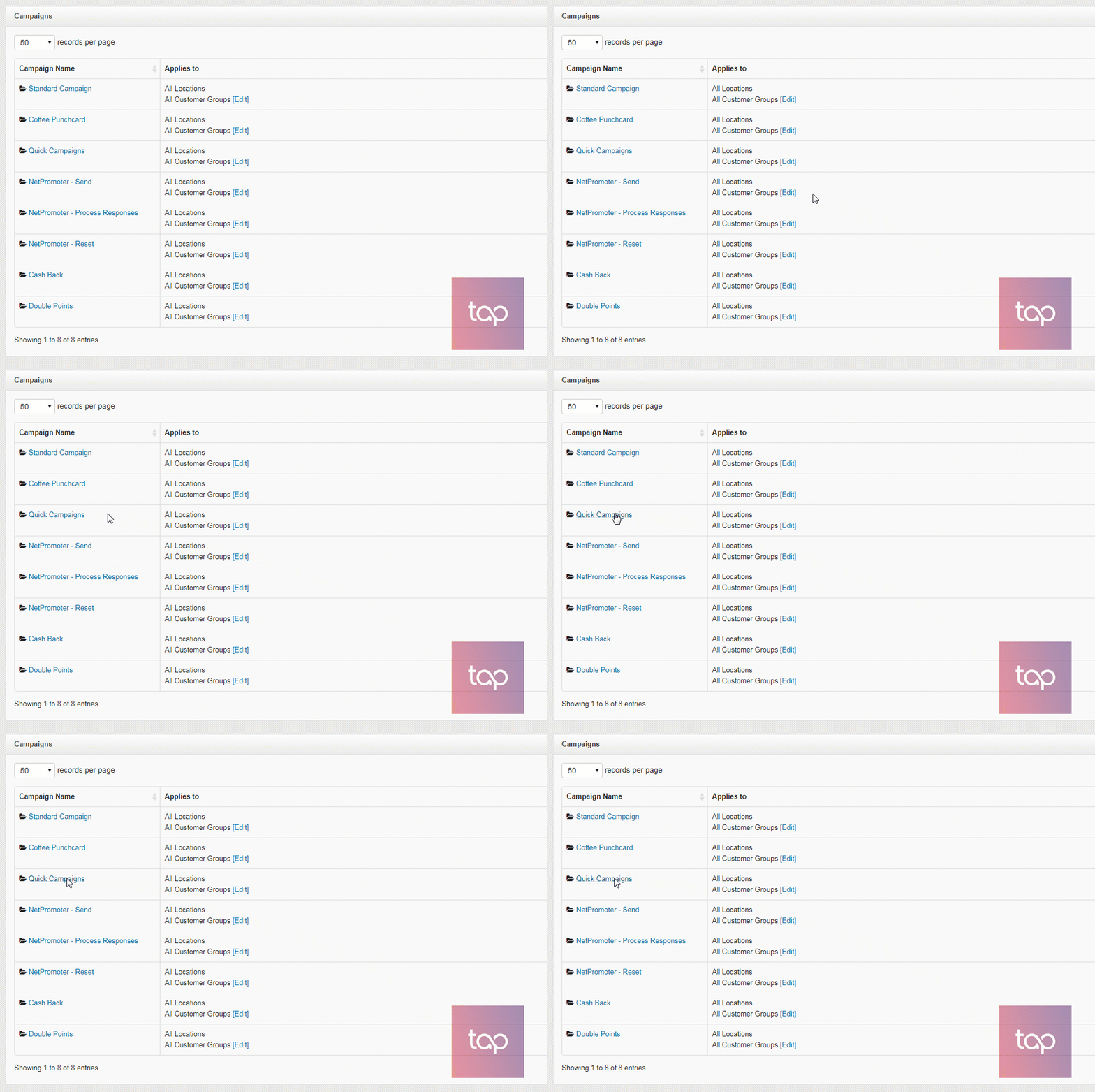
You will then see a page with all of the Quick Campaigns you have created. Today you will be focusing on the campaign listed at the very top of the page.
Find Your Action:
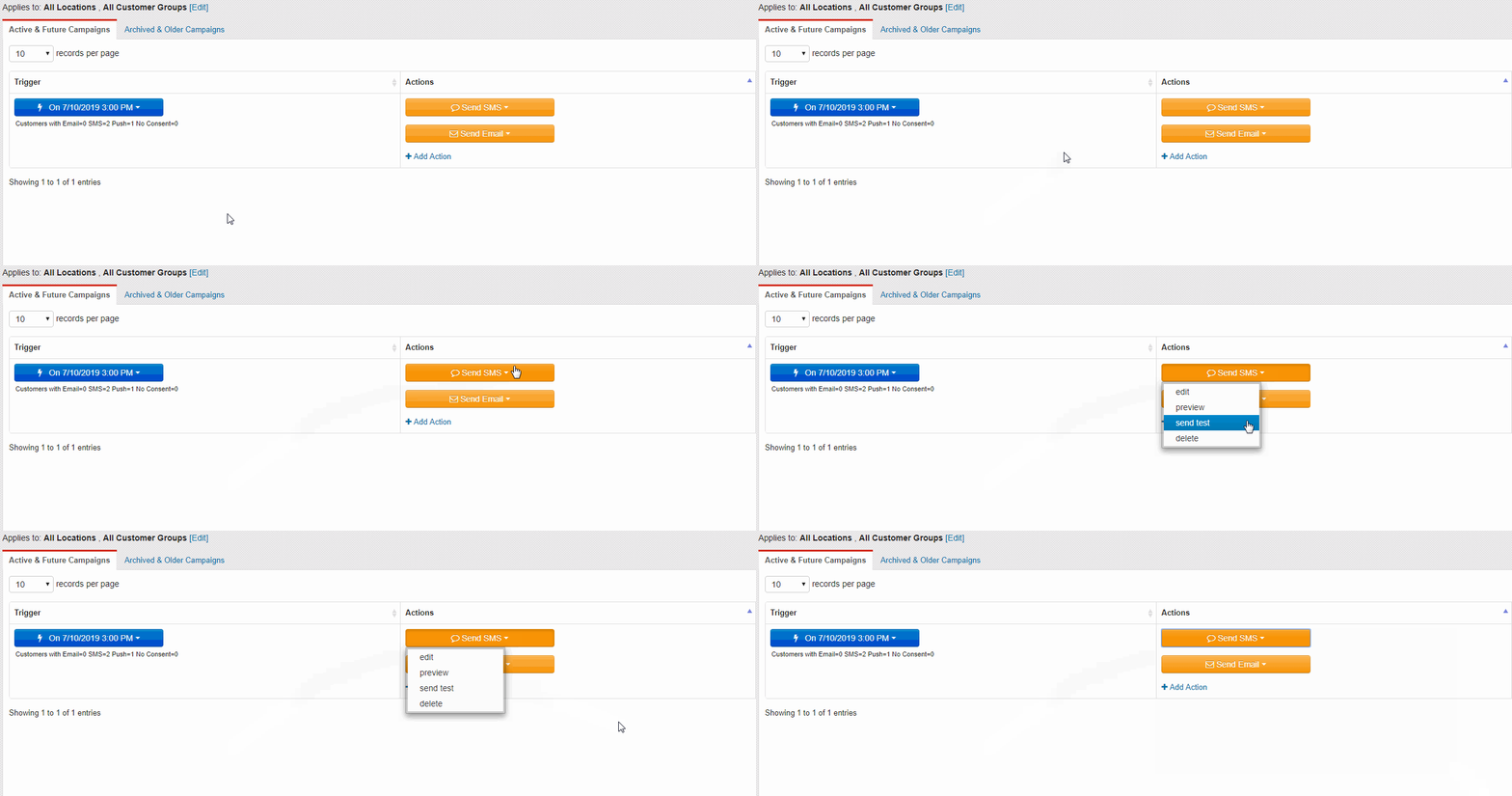
You will navigate to the orange Send SMS button and click on it. You will see a drop-down menu.
Select Your Choice:
Click on the Send Test button.
Once you click on the Send Test button, you will get a pop-up at the top of your page asking you to enter the phone number you want to receive the test SMS message.
Input Your Information:
Type in your phone number.
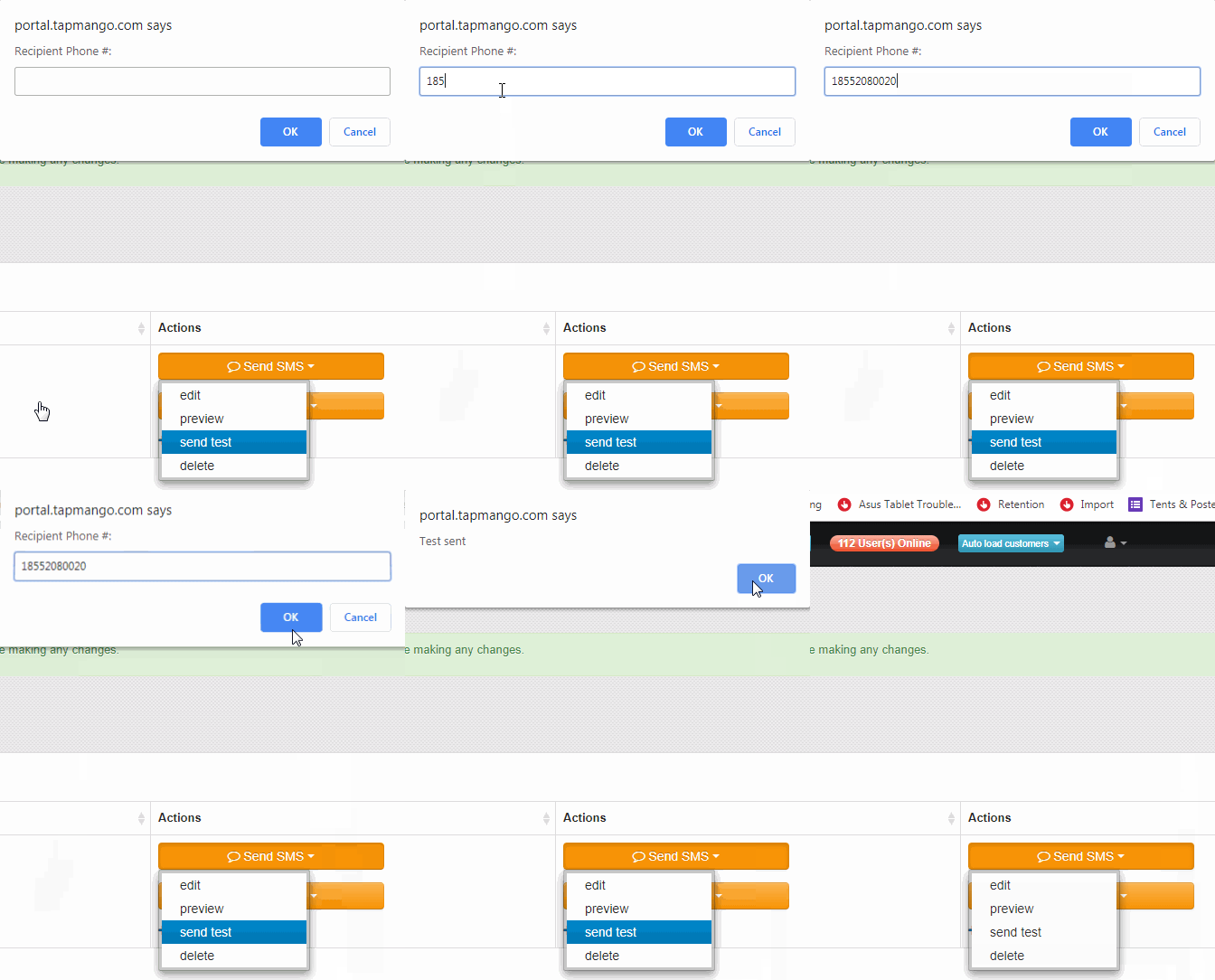
Now using the same process, you are going to send a Test Email to yourself.
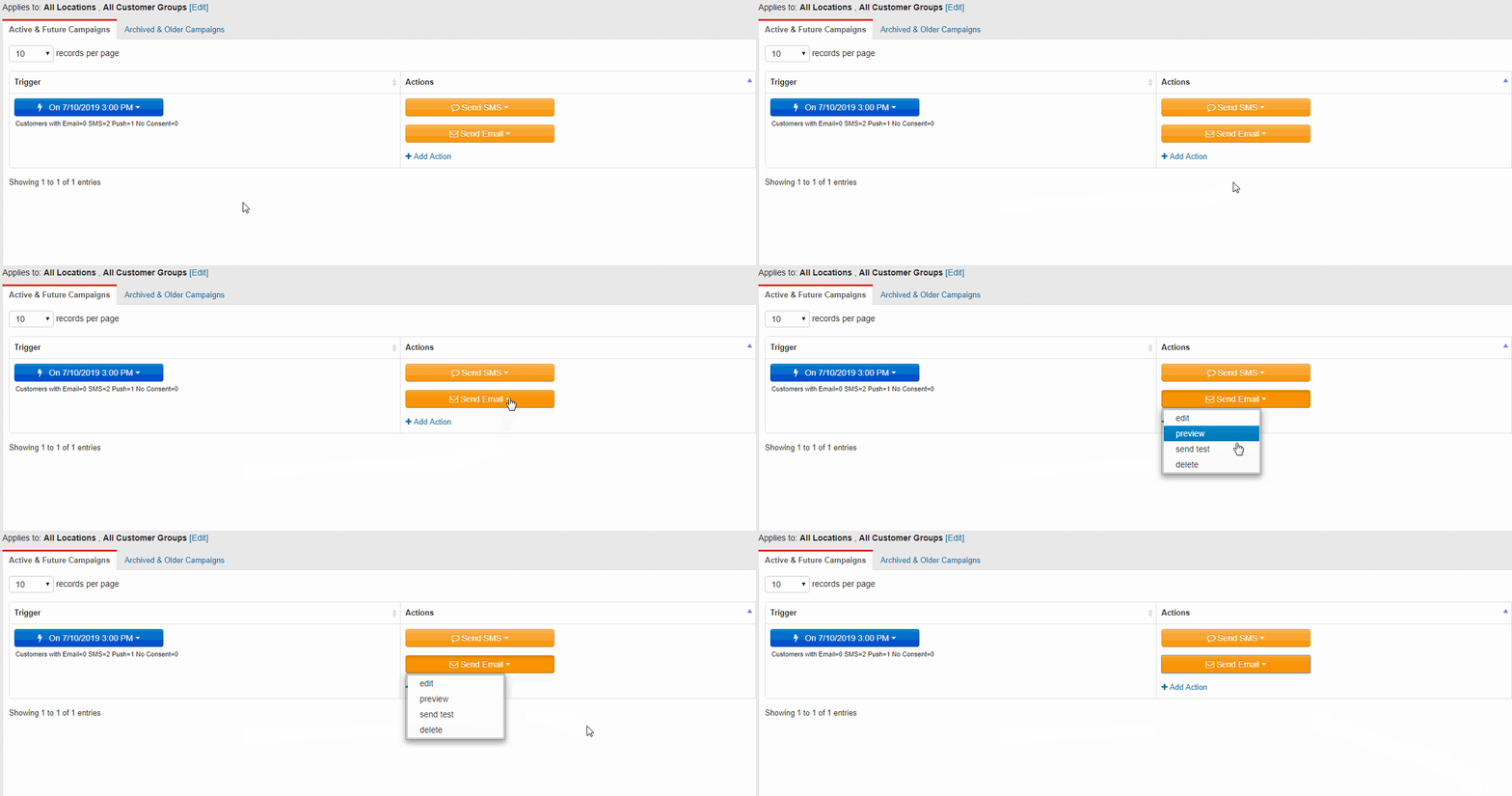
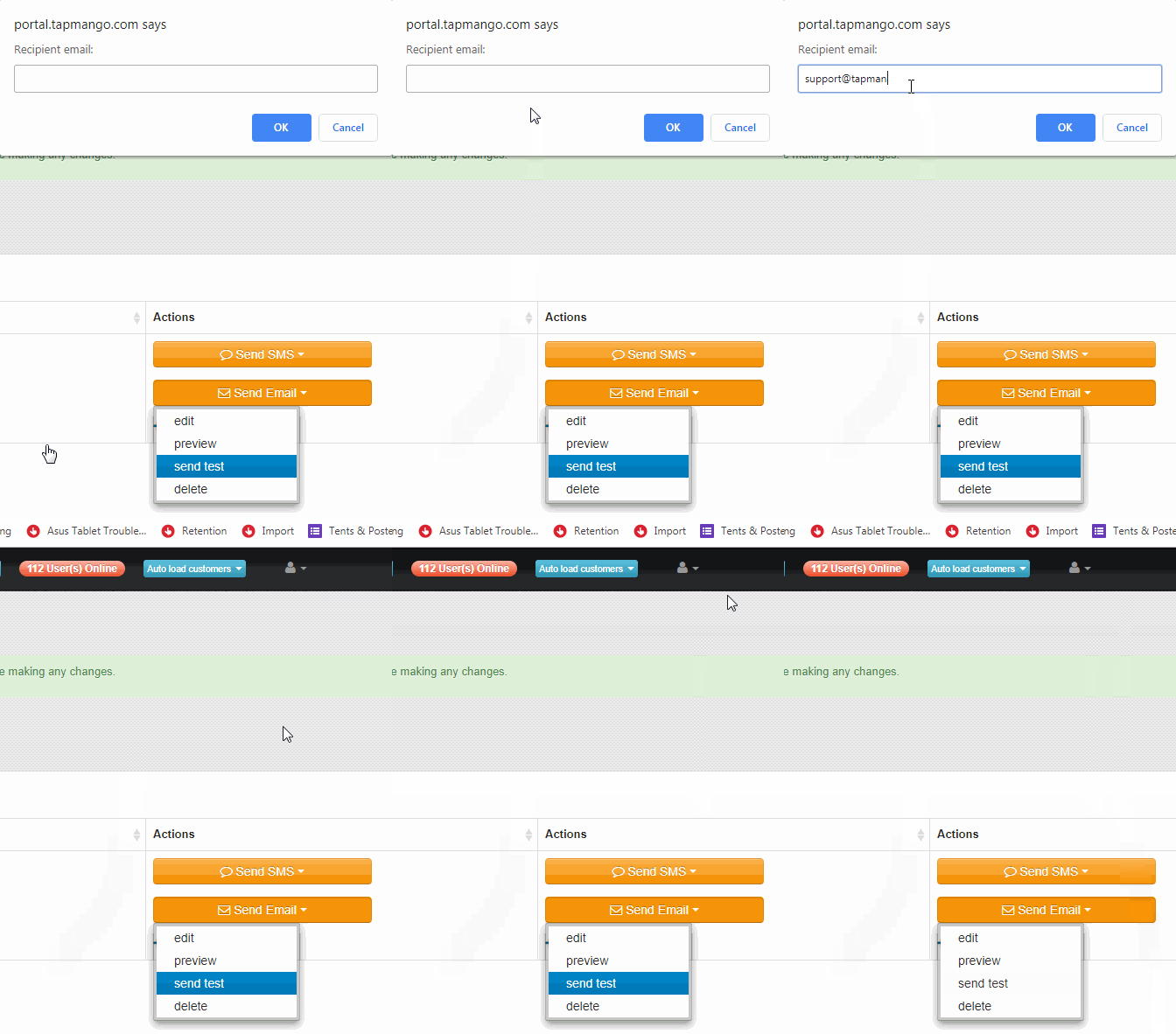
Now you have successfully sent out test messages to yourself!
Additional Questions?
If you have any other questions about sending test messages to yourself we'll be here to help, just talk to us!
Comments
0 comments
Article is closed for comments.