
Related Articles:
Campaigns - Creating a New Campaign
Campaigns - Triggers and Actions
What Are Campaign Activities?
Campaign Activities are what make up a campaign. A Campaign can have as many campaign activities as you wish. Each activity has a single Trigger and at one or more Actions.
For more information see our campaign feature overview and triggers and actions guide
How Do I Create An Activity?
To start a new activity select Create Activity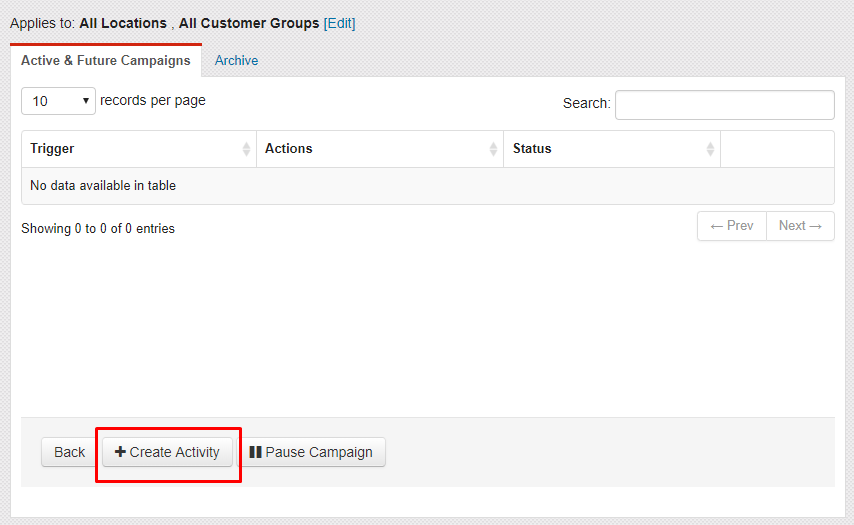
Choose Your Actions
Your actions are the WHAT is happening in your activity. After creating your trigger, you'll be taken back to your campaign's main page. You'll now have the option to start adding actions by clicking +ADD ACTION.
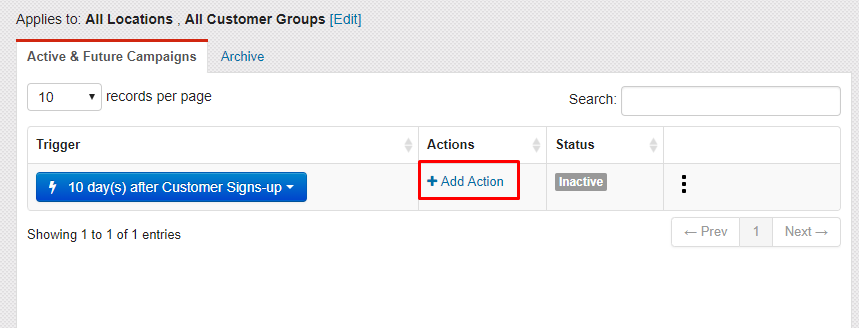
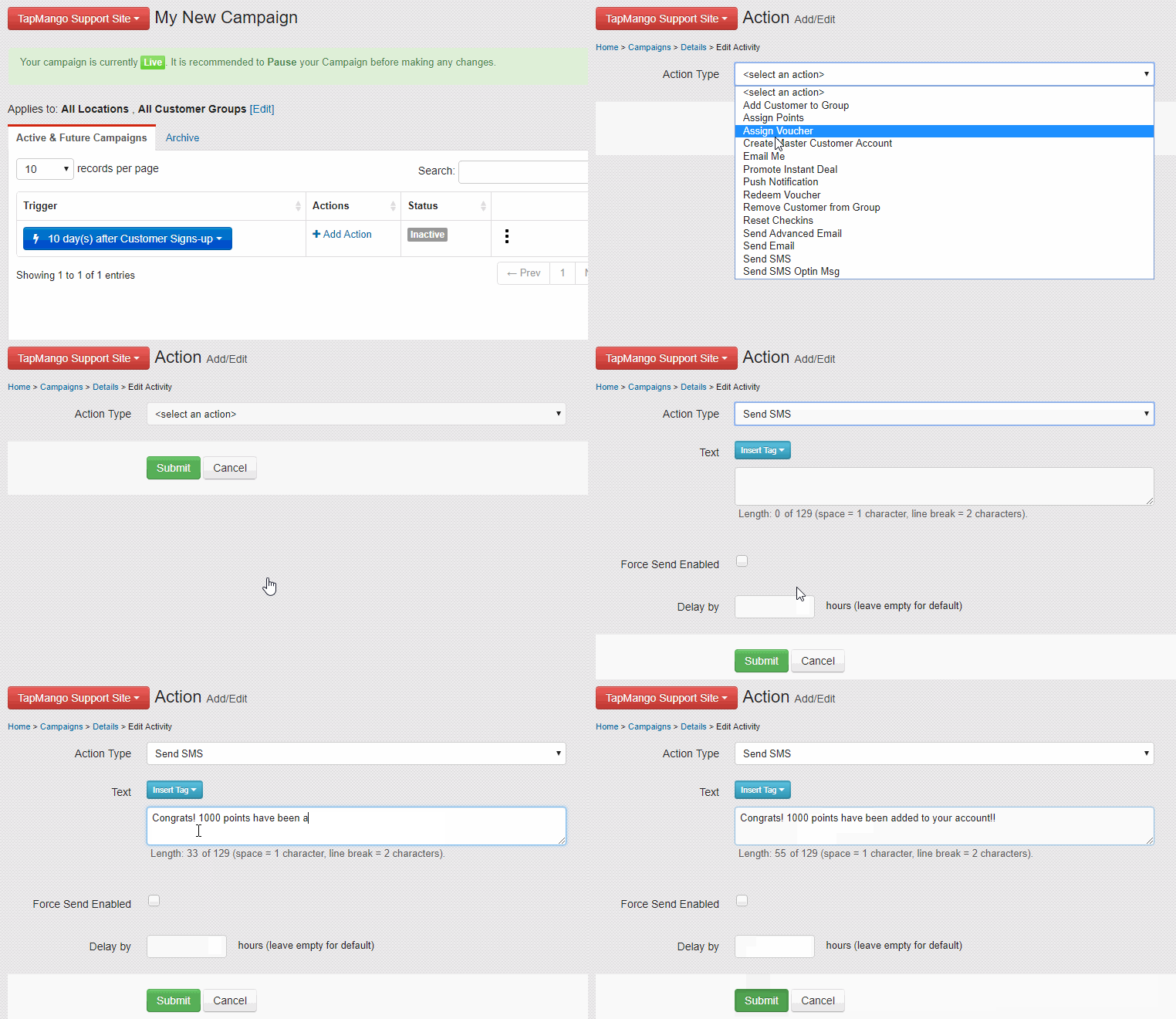
Now you can select an action from the list, and define the options as you'd like. Once you submit you can repeat this to add additional actions.
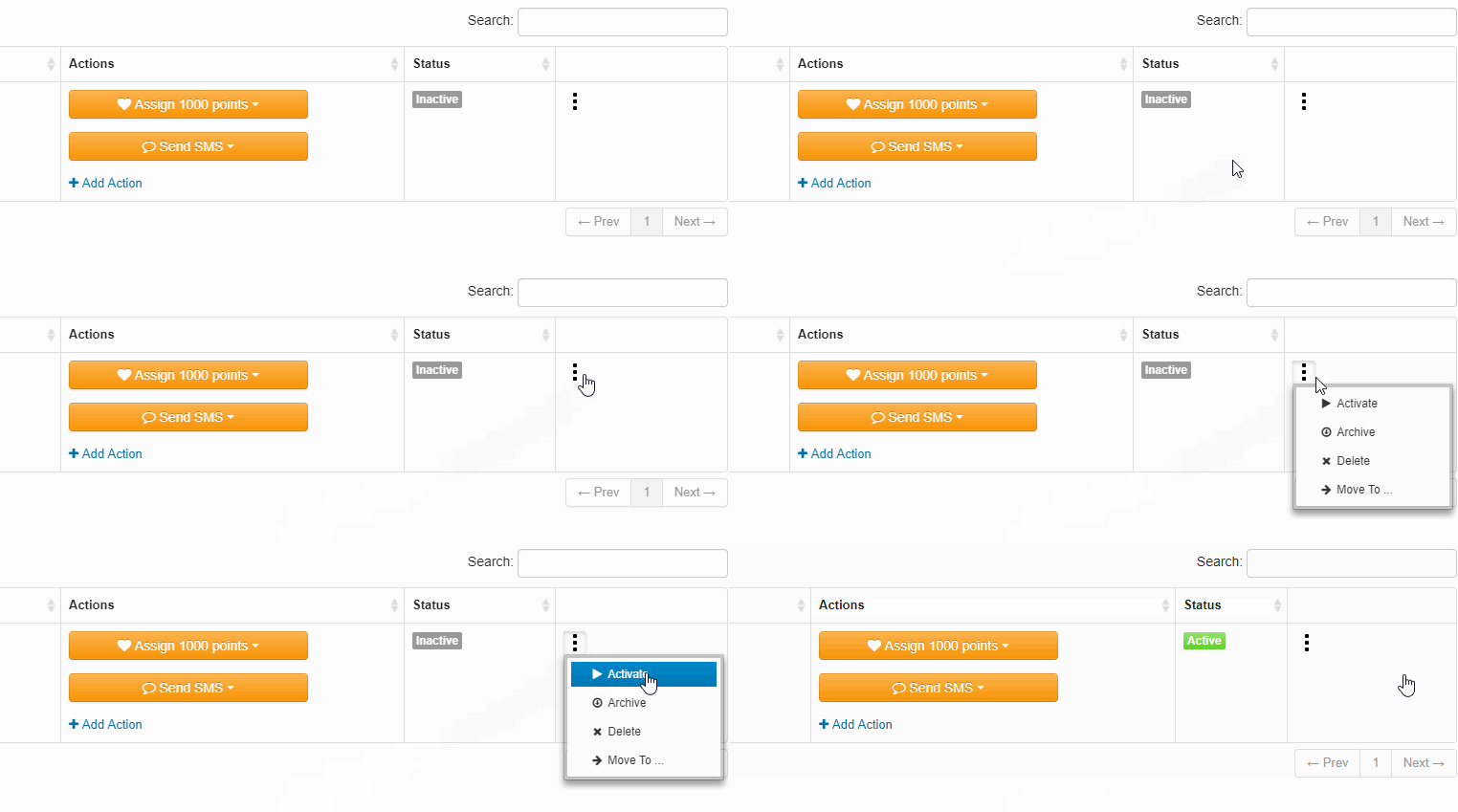
Activate Your Activity
When finished, the last step is to activate your campaign. This is done by clicking the 3 dots on the right column, and selecting Activate. Once the campaign activity is active, and the campaign is not paused then your new activity will start running.
Additional Questions?
As always, if you have any additional questions that isn't covered in this guide do not hesitate to contact us and we'll be happy to help.
Comments
0 comments
Article is closed for comments.