
Before you proceed!
In order to use the instant deal feature you will require an authorized payment system integrated with TapMango.
Payment System Integration - How Do I Connect My Square Account?
Payment System Integration - How do I setup a Stripe Account?
What's Instant Deal?
Instant Deal lets you sell directly to your customers through an email or a text!
To get started, head to Portal and log in using the same username/password as the tablet!
Creating an Instant Deal
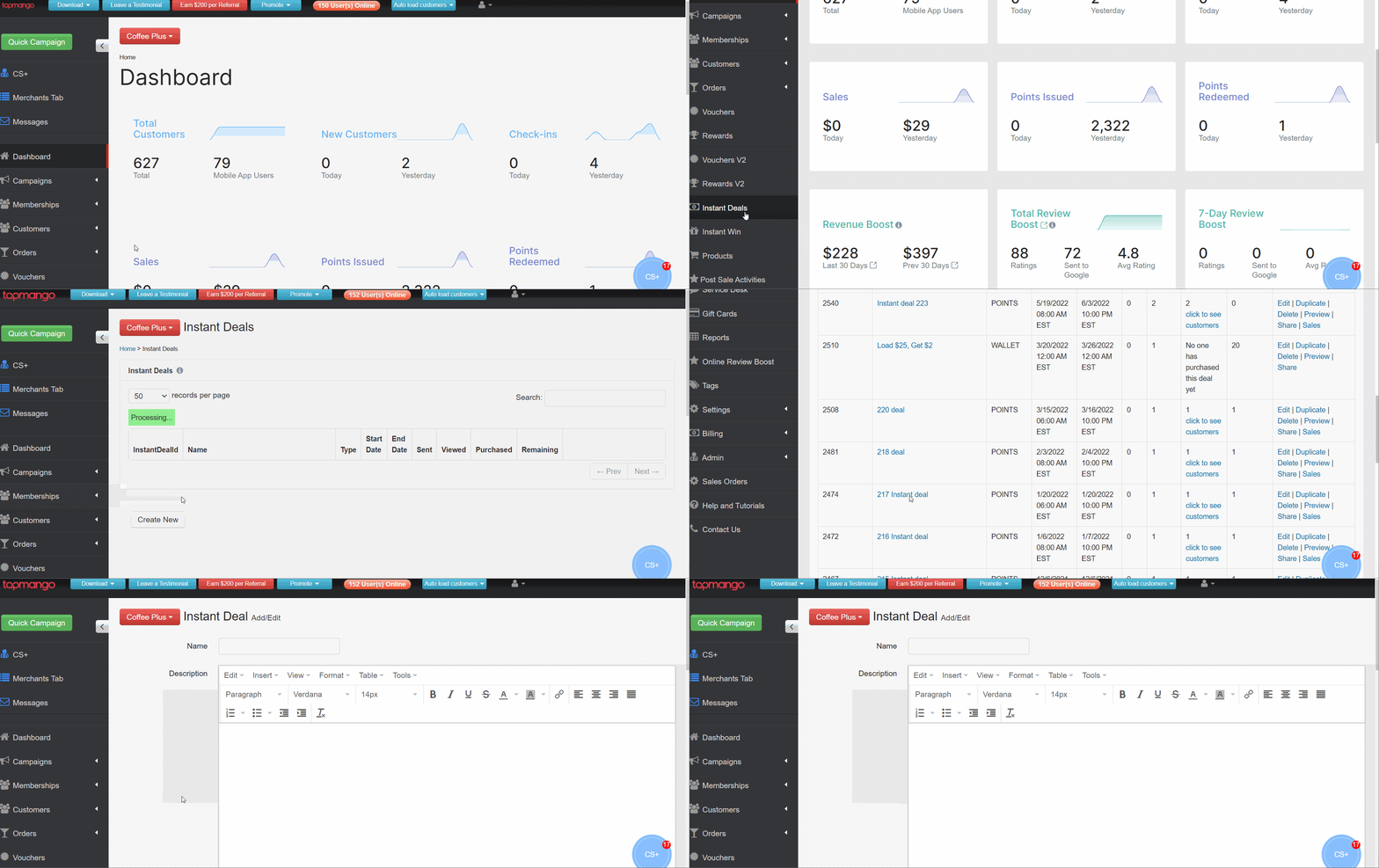
1. Where do I find it?
From the Portal menu, click "Instant Deal" to be redirected to the Instant Deal creation page. Here you can also view all your previously made Deals.
Scroll to the bottom of this page and click "Create New" to get started on your new Deal.
2. What do the fields mean?
Name: The Deal name. Ex; "30% OFF Hot Stone Massage"
Hide Expiry Countdown: Will hide the countdown that shows how much time is left before the deal is no longer available.
Sharing Your Instant Deal Link
Once you create your Instant Deal, you will need to share it's link with your customers. You can do this by sending out a Campaign with the link included in the message and/or sharing the link on your social media.
Get your share link: Instant Deal page -> Share -> Copy Link

When a Non-TapMango customer tries to purchase the deal, they'll be asked to create an account and will be added to your system!
Best Practices
We recommend you send out an instant deal after building up your customer base to at least 100-500 customers (depending on your industry).
Another best practice is to hype the deal up prior to sending it out as an Instant Deal. For example, posting promos or sending out quick campaigns saying: "Keep an eye out for our amazing deal!"
Comments
0 comments
Article is closed for comments.