
Related Articles:
Friend Referral - Managing Friend Referral
Friend Referral - Manual Referral Via Tablet
Friend Referral - Feature Overview
Friend Referral - Best Practices
You may have customers come in via word of mouth wanting credit for your friend referral bonus. while TapMango does have a system to automatically track this - it does require customers properly share their personal referral link that is sent out.
So what if they don't do that?
If someone does come in and tell you 'Hey - this person referred me' you'd want to ask if they signed up through their friend's referral link.
If they say no then you must manually recognize the referral.
Manually Credit the Friend Referral?
Don't be afraid of the word manual it's pretty simple! You can do this through portal.tapmango.com or the tablet.
Manually Refer Via portal.tapmango.com
Looking for how to credit a friend referral on the tablet? See this guide
You can also do the same via the merchant portal. Just do the following:
- Ask the new customer to register on the tablet
- log in to portal.tapmango.com
- select 'customers' then search for the new person (though they should be at the top of the list if they just signed up on the tablet)
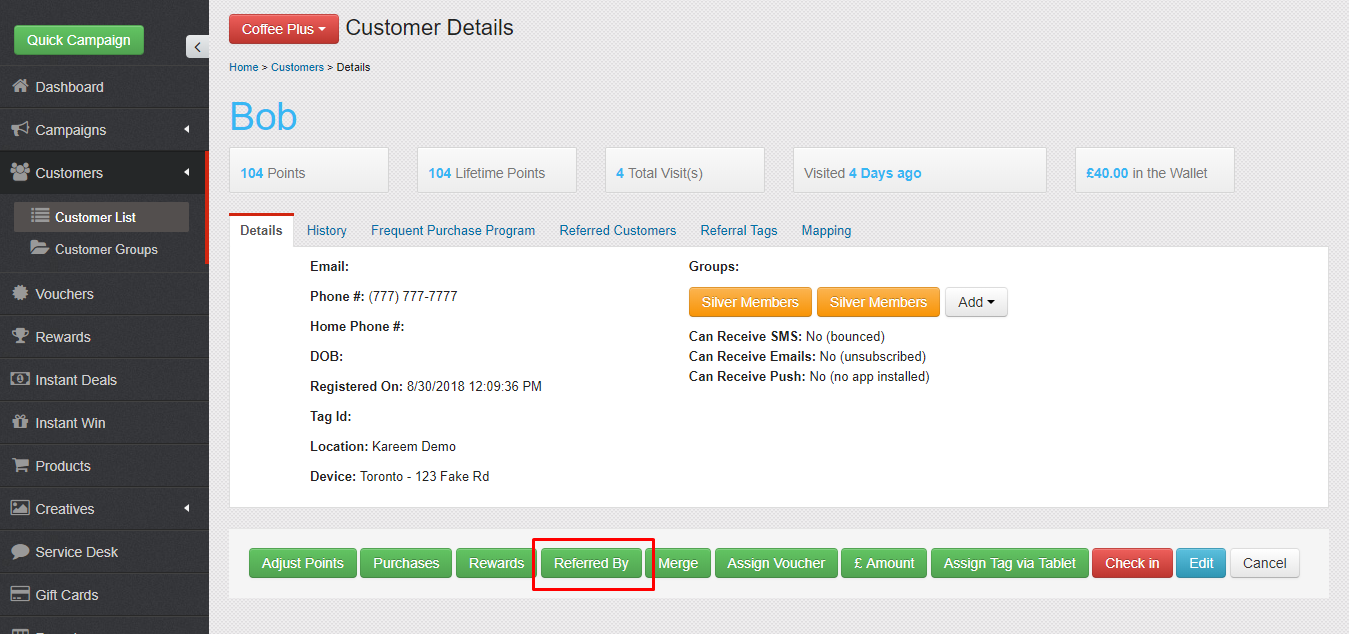
- On the customer's detail page select 'Referred by'
- As above - search for the person they tell you do, and confirm.
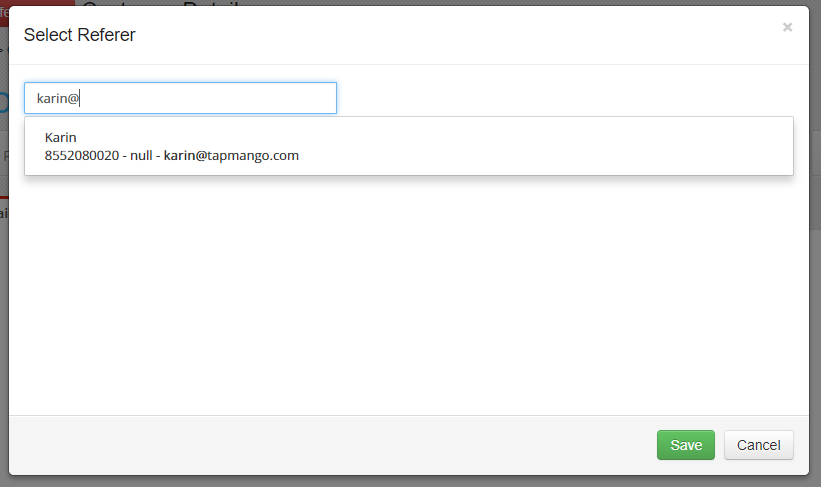
- Now the referral is complete!
Additional Questions?
As always, if you have any additional questions that isn't covered in this guide do not hesitate to contact us and we'll be happy to help.
Comments
0 comments
Article is closed for comments.