
For information about instant win and how it works see:
Instant Win - A Quick Game For Customers
Where Do I Go?
To create or edit instant win prizes:
- Log on to http://portal.tapmango.com
- Select Instant Win on the left side.
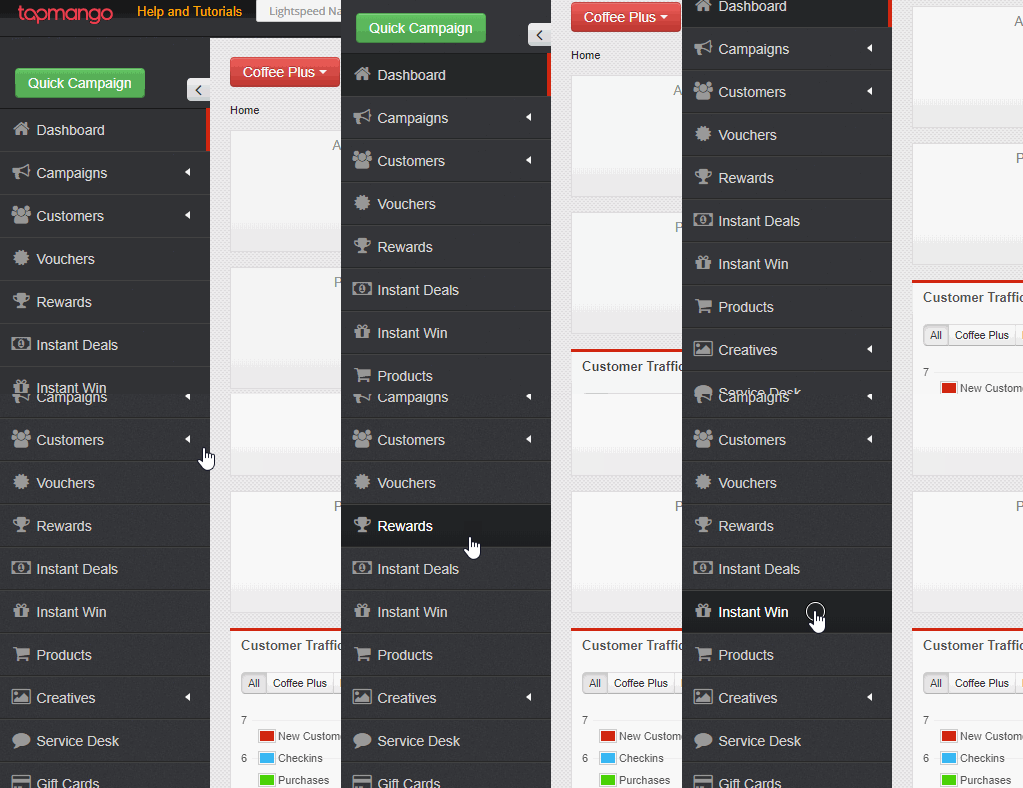
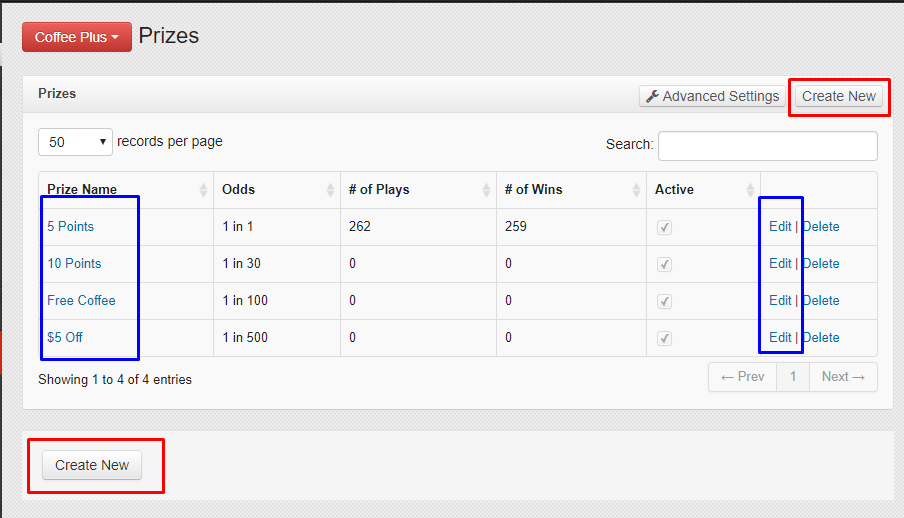
- To edit a prize click the name of the prize, or edit on the right side.
- To create a new prize select create new on the bottom left, or top right of the page.
What Do I Do?
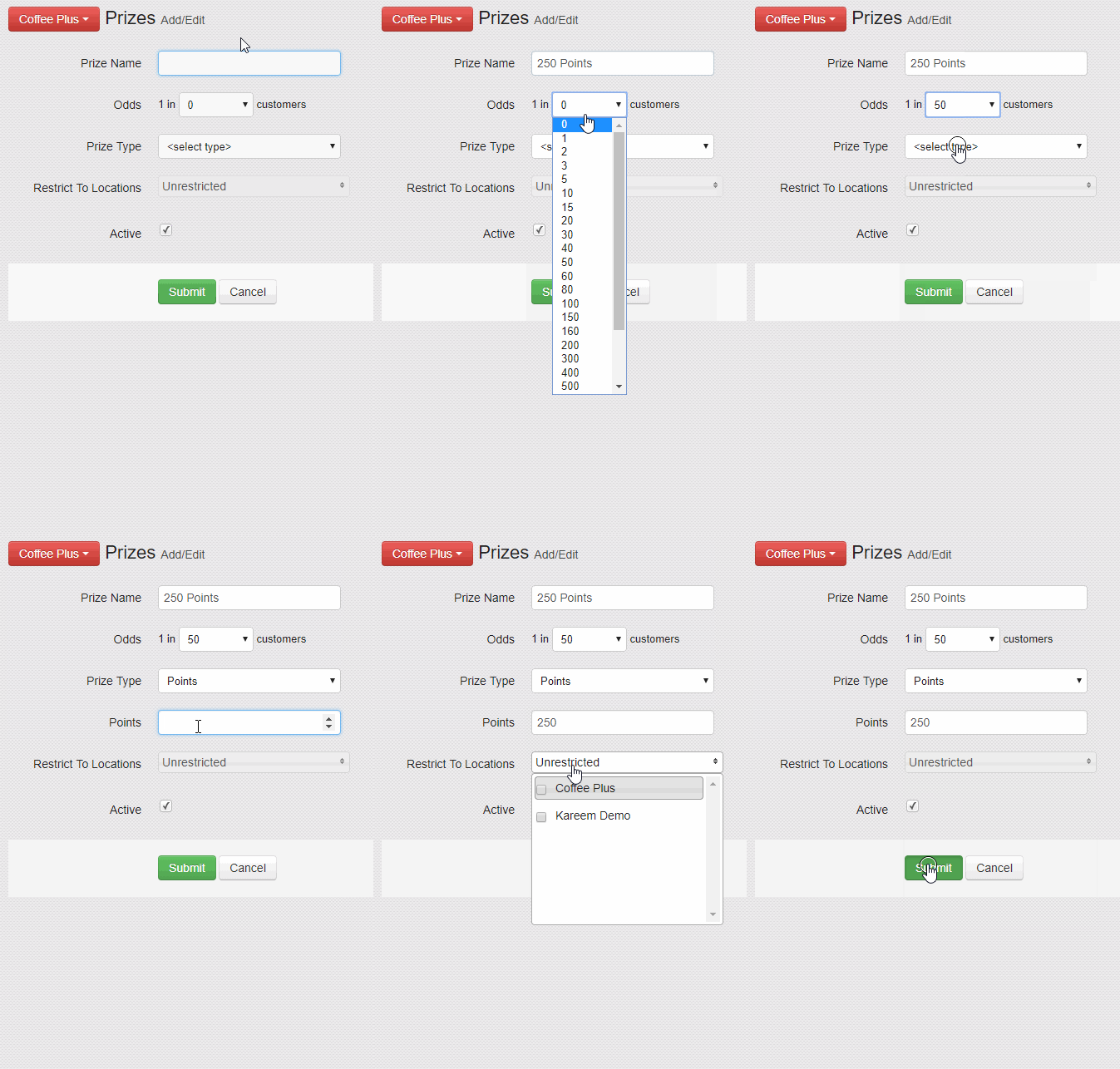
Just fill out the options and submit to create or edit the prize!
For Best Practices See:
Here's what each mean:
Prize Name
What the prize is called. This is what you see later when editing, and what the customer sees on-screen when they win the prize.
Odds
Select the odds from the list of available odds to choose from. This ranges from 1 in 1 to 1 in 10,000.
If you'd like there to always be a winner - choose 1 in 1. This prize will be the default winner if there is no winning prize selected from the rest. If you have multiple 1 in 1 prizes then a winner is randomly selected from this group.
Prize Type
What is being won. This can be points, or a voucher.
Points
Just a value of points you'd like to offer.
Voucher
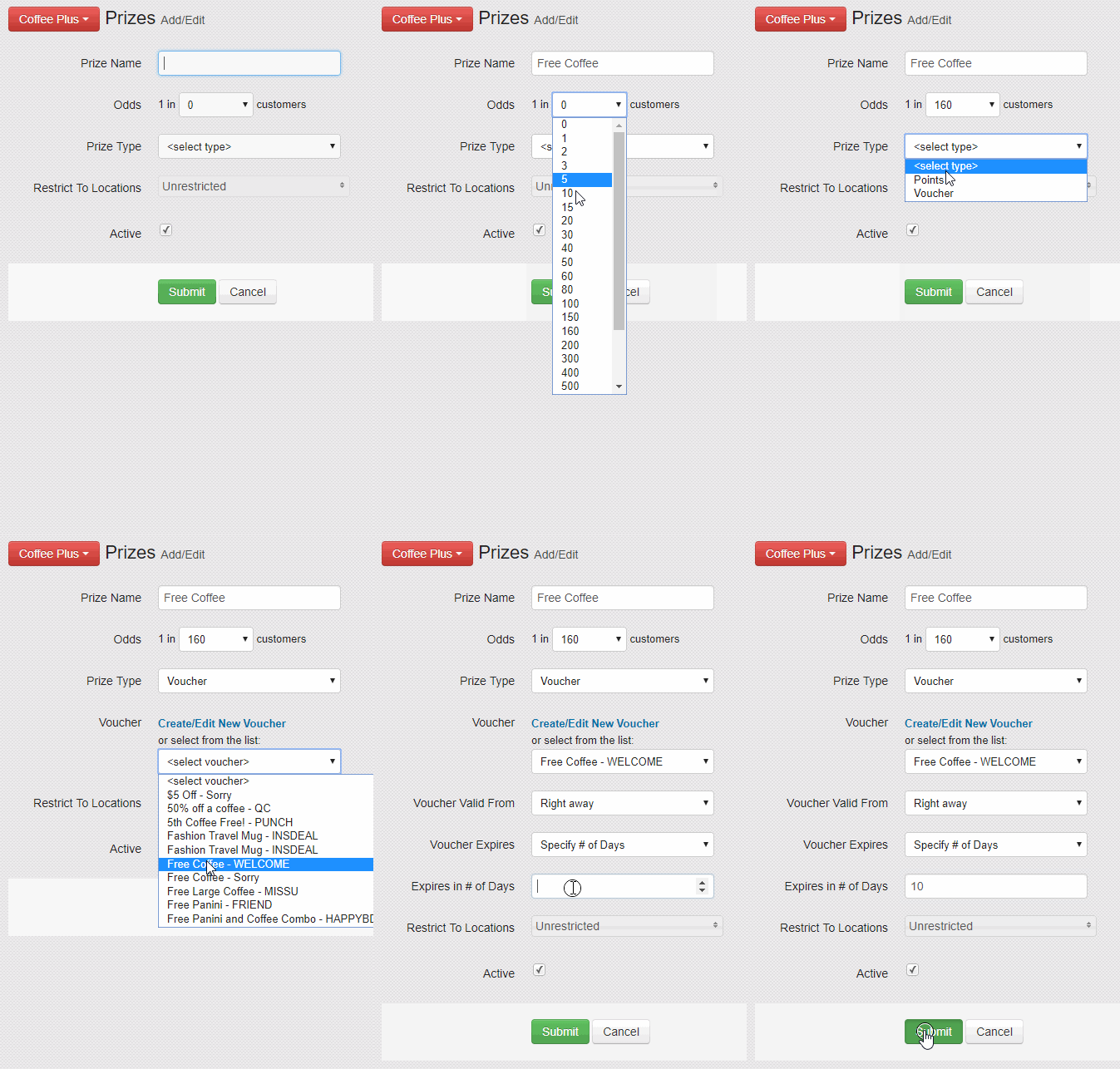
You can create a voucher or choose from an existing voucher on your list of vouchers. You may also set when the voucher is available, and when the voucher expires.
Restrict to Locations
A list of the locations you have with TapMango. You may check or uncheck as many as you'd like. If none are specified then the prize is available at all locations
Active
Check if the prize is available to win. You may turn prizes off if you'd like to run temporary events, but still want to keep the prize for later. You could also create a bunch of prizes in advance to be turned on later.
Example: Points Prize
Comments
0 comments
Article is closed for comments.