
If you closed the desktop app by right clicking on the taskbar, and select "Close all windows" it is likely that when trying to search for TapMango, the app will not open. To fix this, follow the steps below.
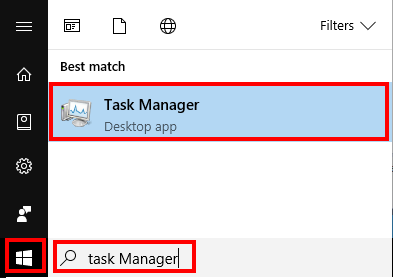
Step 1: Select the windows button in the bottom right and search for Task Manager
Step 2: Scroll down under Background Processes and look for TapMango
Step 3: Select TapMango and click on "End Task"
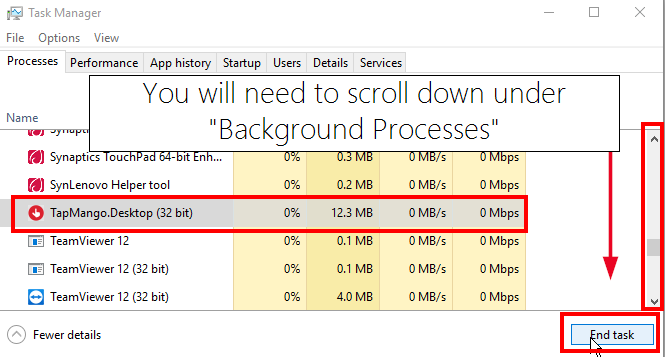
If there are multiple instances of TapMango, end all of them.
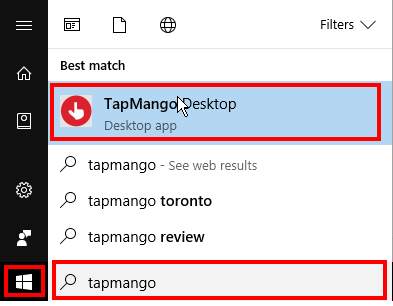
Step 4: Select the windows key and search for TapMango
Step 5: Click on TapMango to re-open the app
To prevent this in the future:
When closing the app, make sure to click on the X in the top right corner. Do not right click on the bottom task bar and select "Close all Windows"
Do: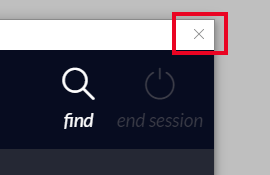
Do Not: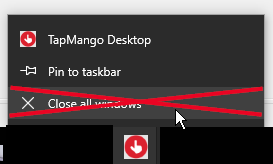
Comments
0 comments
Article is closed for comments.