
To update your points per dollar given in the TapMango system, login into your portal.tapmango.com dashboard and follow the steps below!
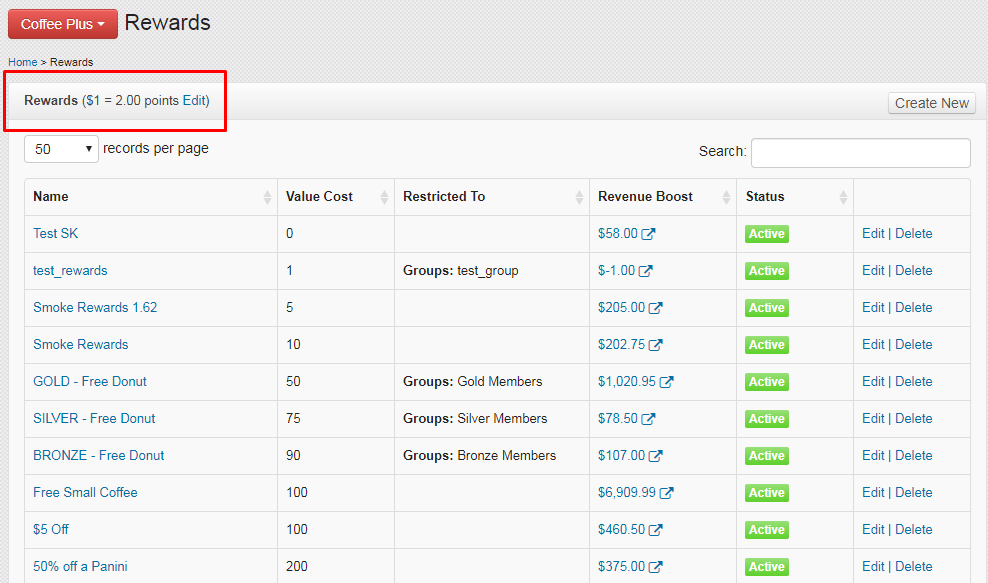
Navigate to Rewards

Click on "Edit"
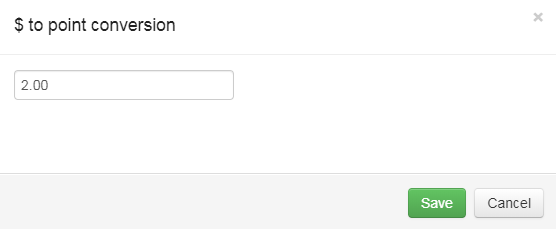
Adjust the conversion for non-wallet amounts
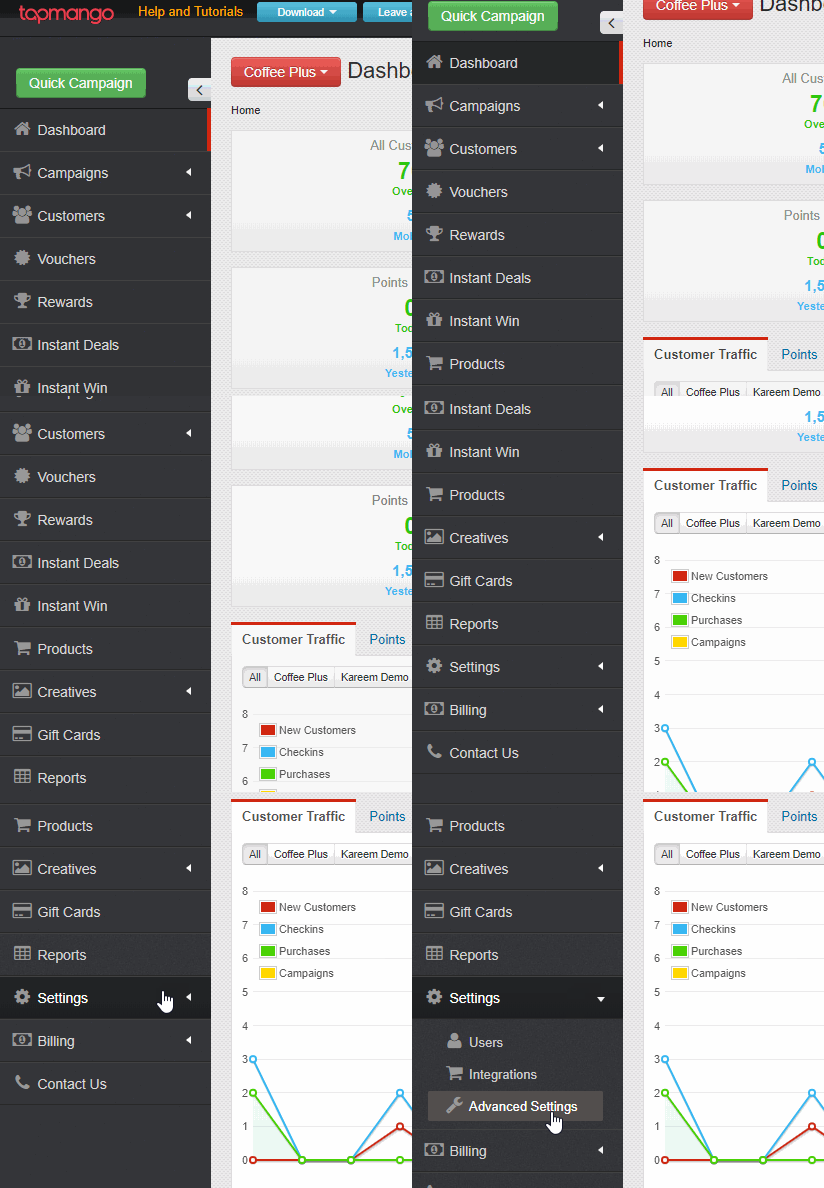
OR Navigate to Settings -> Advanced Settings
Click on Purchases
There's 2 types of points per dollar you can update.
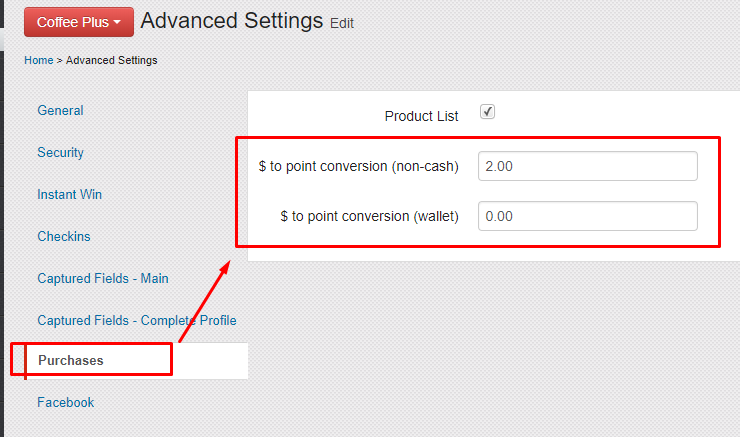
This is for payments made from normal purchases made that were entered as rewards only from the TapMango Tablet and Portal, or from Point of Sale Transactions. Credit, Debit, Cash Purchases, etc.
This value will be your default dollar to point ratio
This is for payments made from the TapMango wallet, recorded into TapMango from the Tablet's pay from wallet option on the Tablet or Portal. Wallet payments are also supported by some integrations.
Questions?
If you have extra questions don't be shy and talk to us and we'll be happy to help!
Comments
0 comments
Article is closed for comments.