
Customers Can Sign Up Online?
That's right! Customers don't need to sign up in-store. We want you to capture as much customer information as possible!
TapMango provides all of our merchants with an online sign up page. This page can be accessed at any time and easily shared to allow your customers to sign up online.
This is great because you get the customer's contact information, ready to receive your promos and announcements!
Where do I find it?
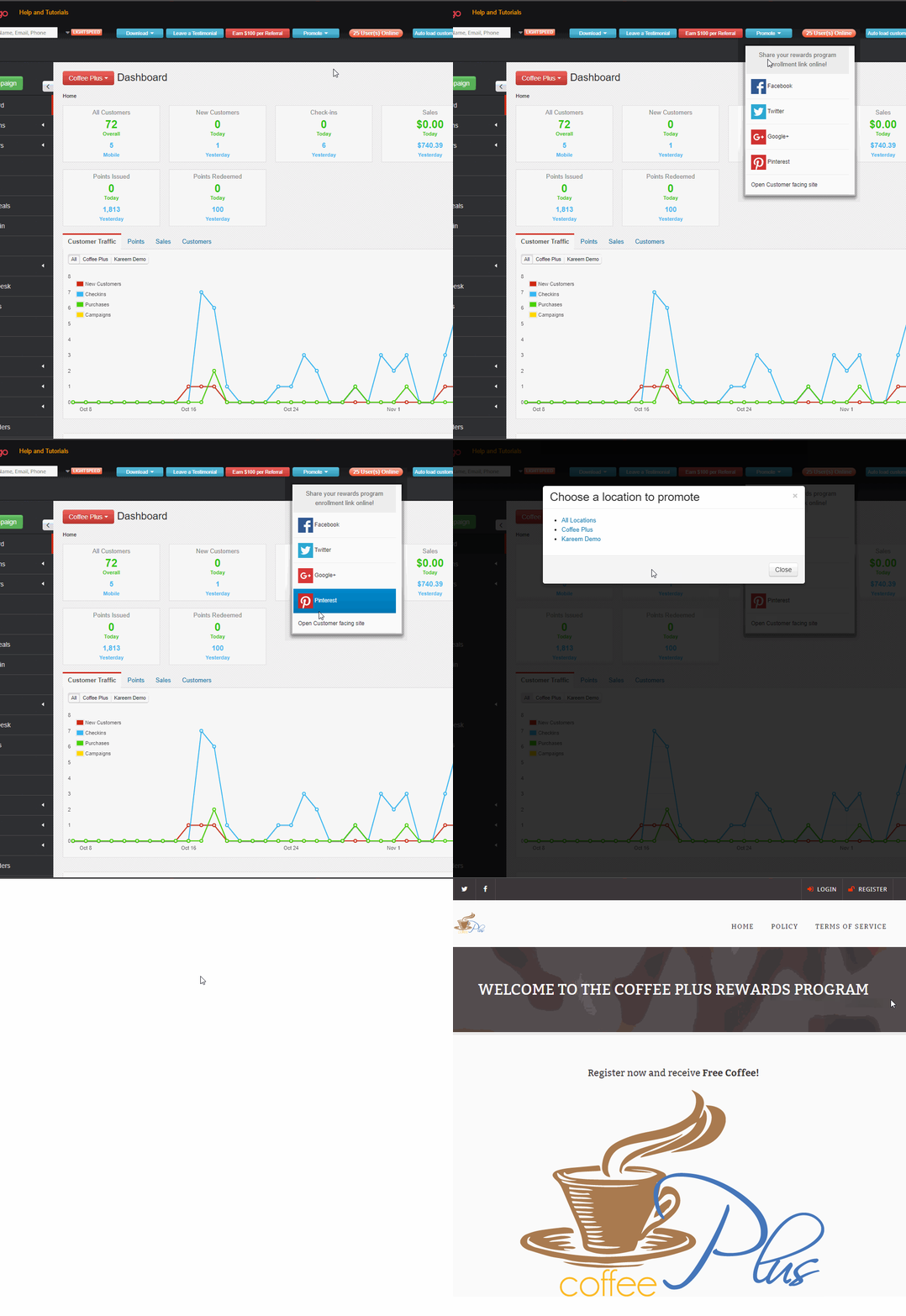
You can find this under the promote section of your TapMango Web Portal account. You'll find an open customer facing site link. Click this and, if you have multiple locations you can select to open a single location's sign up page, or the page for all locations.
How do I share it?
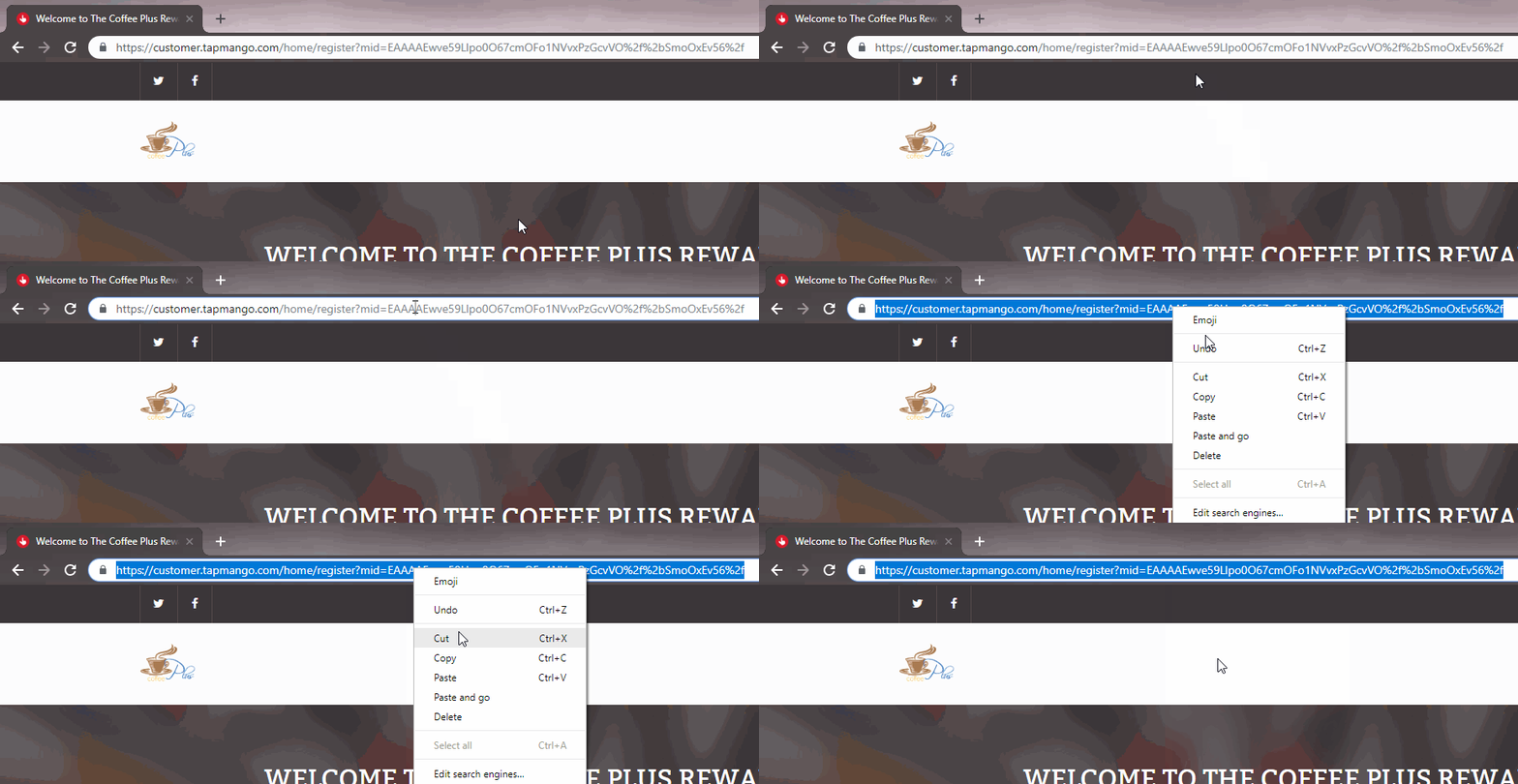
Just copy and paste the URL to share. This changes on what device you use. If you're using a computer just select the entire URL, right click, and choose 'copy'. Then 'paste' where you want to share it.
If you're on an iPhone or Android device you may have an option in your web browser to just share the URL directly.
Other ways to Share?
You may have noticed other options than opening the customer facing site. We provide some direct to social media share options you can use. When you click these it will prompt a 'make a post' on the social media sharing the customer facing site link.
What can this do?

The customer facing site provides the following for you:
- Option for customers to sign up
- Option for existing customers to sign in
- Available rewards and how to earn items
- Contact information
Quick Sign Up
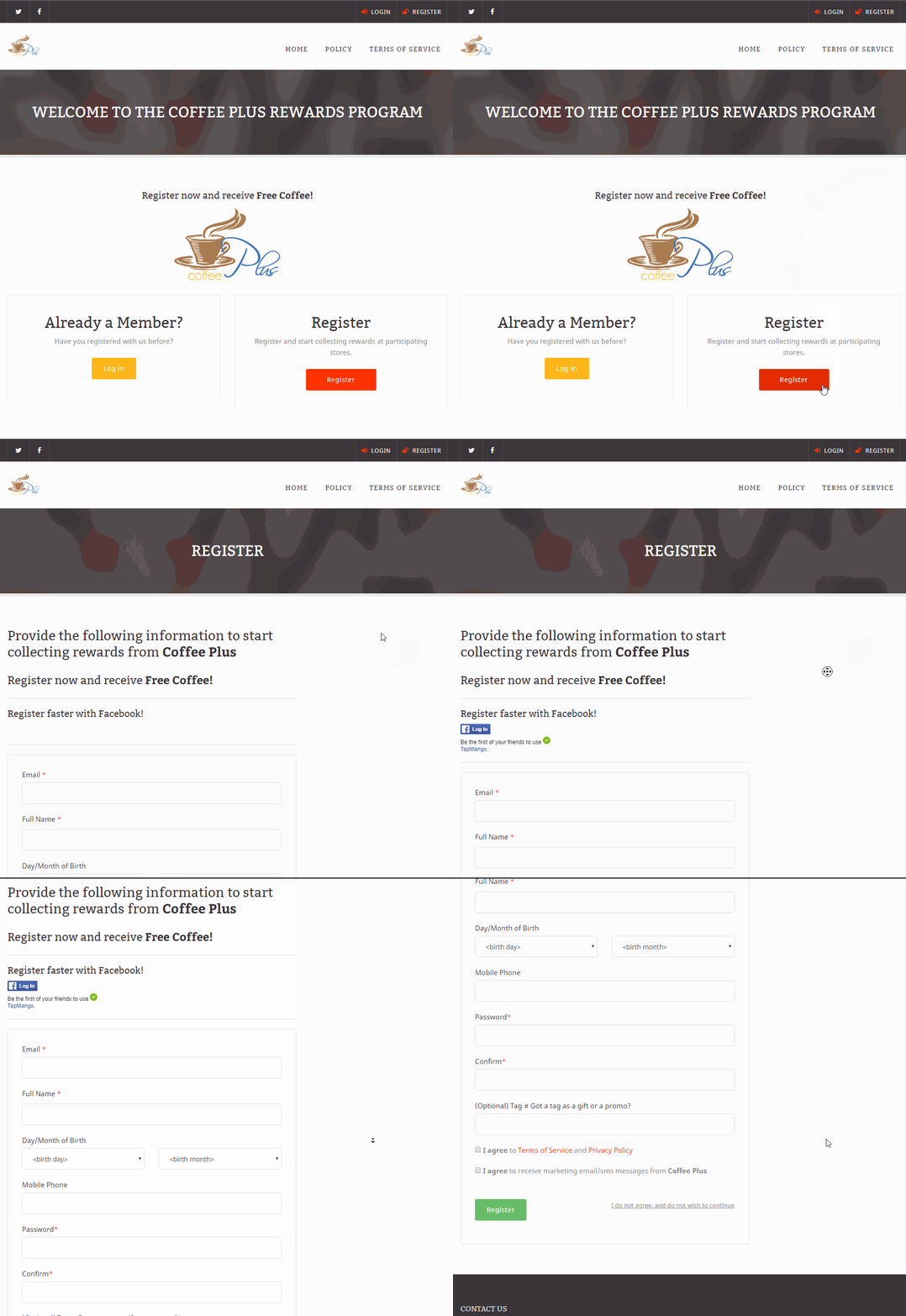
Signing up is simple for customers. They just need to click the register option and fill out the information and consent to both the customer privacy policy, terms and conditions and to receive marketing messages.
Your custom sign up information will be here too. See our page on changing customer sign up information for more details.
Additional Branding
At request, TapMango can apply additional branding to this page such as changing some of the colours around. By default we just supply your logo, contact information, and rewards.
If this is something you're interested in please contact customer support and we can discuss this with you.
Questions?
If you have extra questions, don't be shy - talk to us and we'll be happy to help!
Comments
0 comments
Article is closed for comments.