
For information on this feature see our post to facebook feature article
For information on changing the feature see our guide on managing post to facebook rewards.
Where Do I Go?
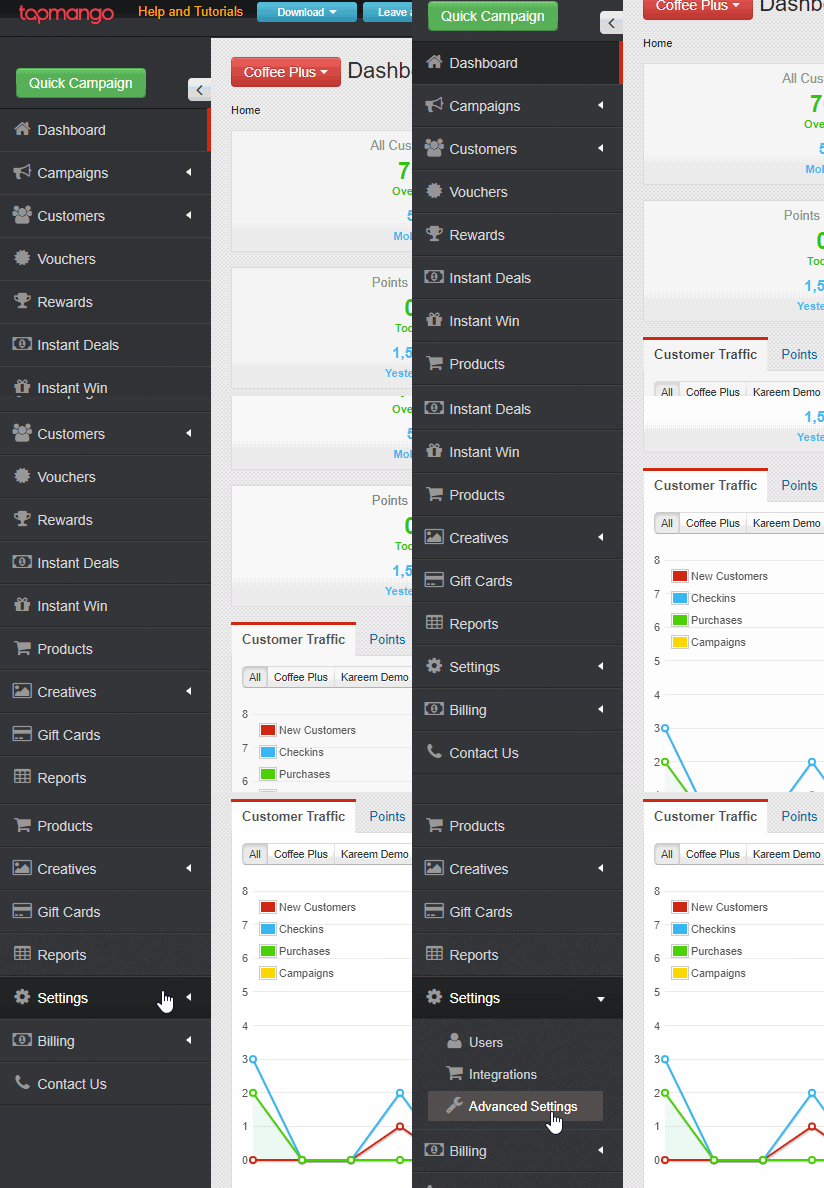
To find post to facebook navigate to settings > advanced settings > facebook
What Do I Do?
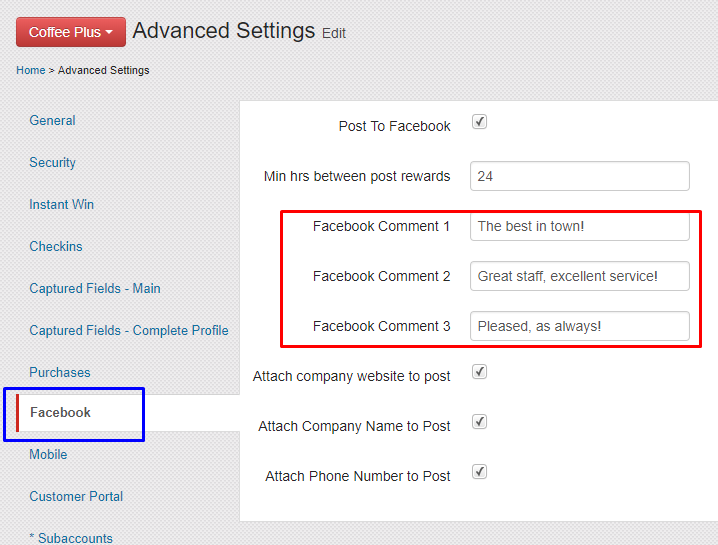
To change the comments simply enter a new comment in one of the 3 boxes and save. The comments can be anything you'd like. This is the comment that appears inside the post the customer makes, but isn't the comment your customer can type themselves with the TapMango post.
Additional Questions?
As always, if you have any additional questions that isn't covered in this guide do not hesitate to contact us and we'll be happy to help.
Comments
0 comments
Article is closed for comments.