
This article explains how to delete a customer from your account - if you just want to update the customer's preferences then check out our communication preferences guide
Deleting a customer is simple! Just follow these steps
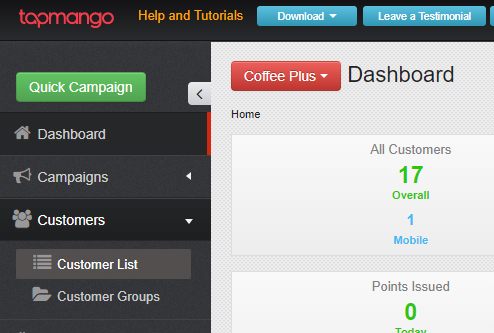
Navigate to the Customers section
On portal.tapmango.com select customers > customer list
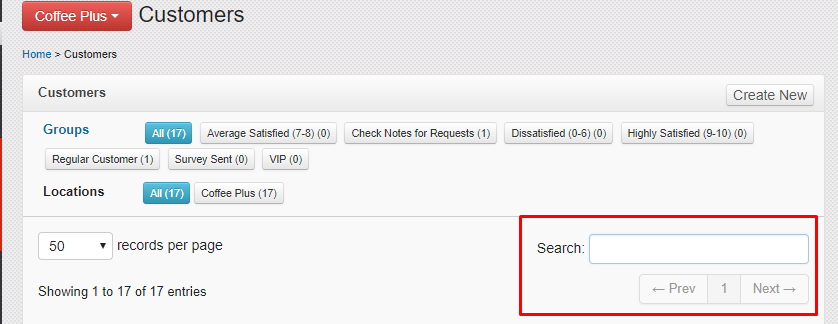
Find your customer
In the search box, search for the customer you'd like to delete. You can search by typing any part of the following:
- Name
- Phone
- Keytag Number
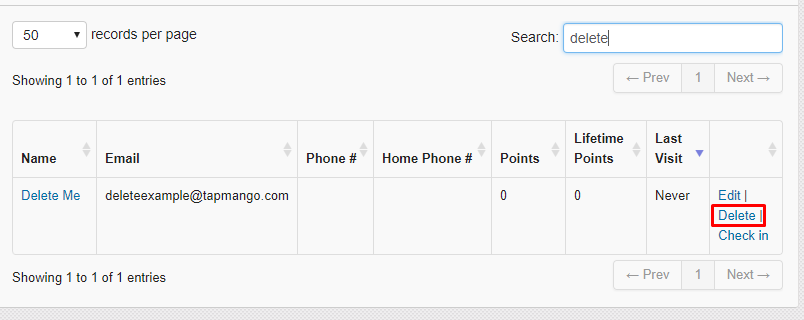
Select Delete
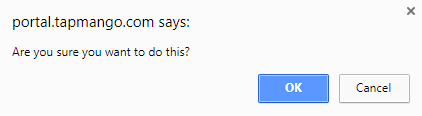
To delete, just select 'delete' on the right column of the customers record, and confirm.
Is this permanent?
Did you accidentally delete a customer? No worries! If this is the case just talk to us and we'll help out.
Comments
0 comments
Article is closed for comments.