
What is Quick Registration?
As an alternative to our standard tablet layout, TapMango also provides the option for quick registration. This is a simpler work flow designed for fast sign ups by giving preference to phone number, and asking minimal information on sign up.
Two Types of Quick Registration
There are two types of quick registration available.
Unverified, Skip Profile
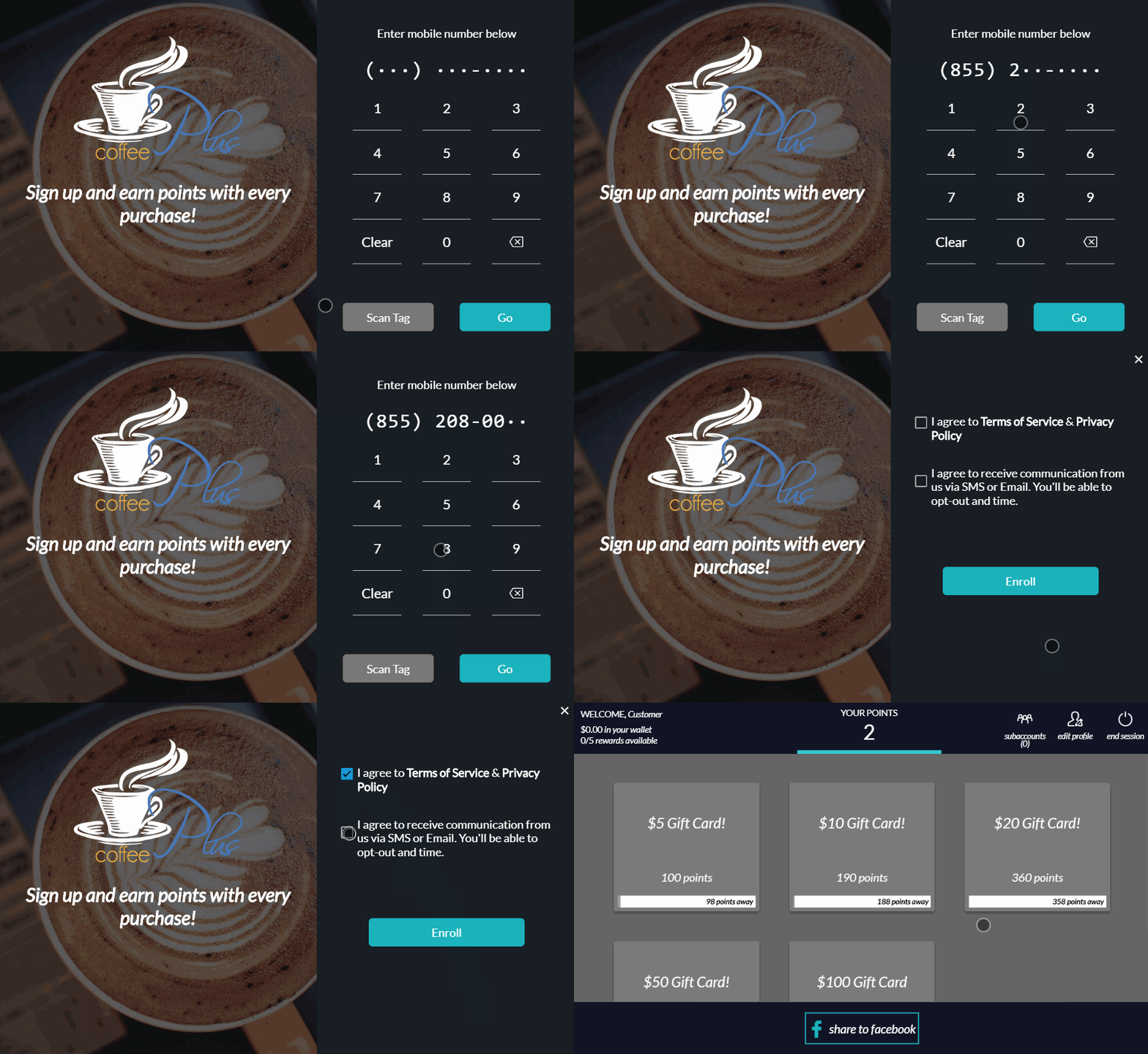
With the unverified profile skip method you get the fastest way for customers to register. The only thing required will be to enter a phone number and tap the boxes to agree to receive SMS and to the Terms and Condition / Privacy Policy.
Customers have the option of editing their profile after check in to add a name or email if they choose.
Verify by SMS
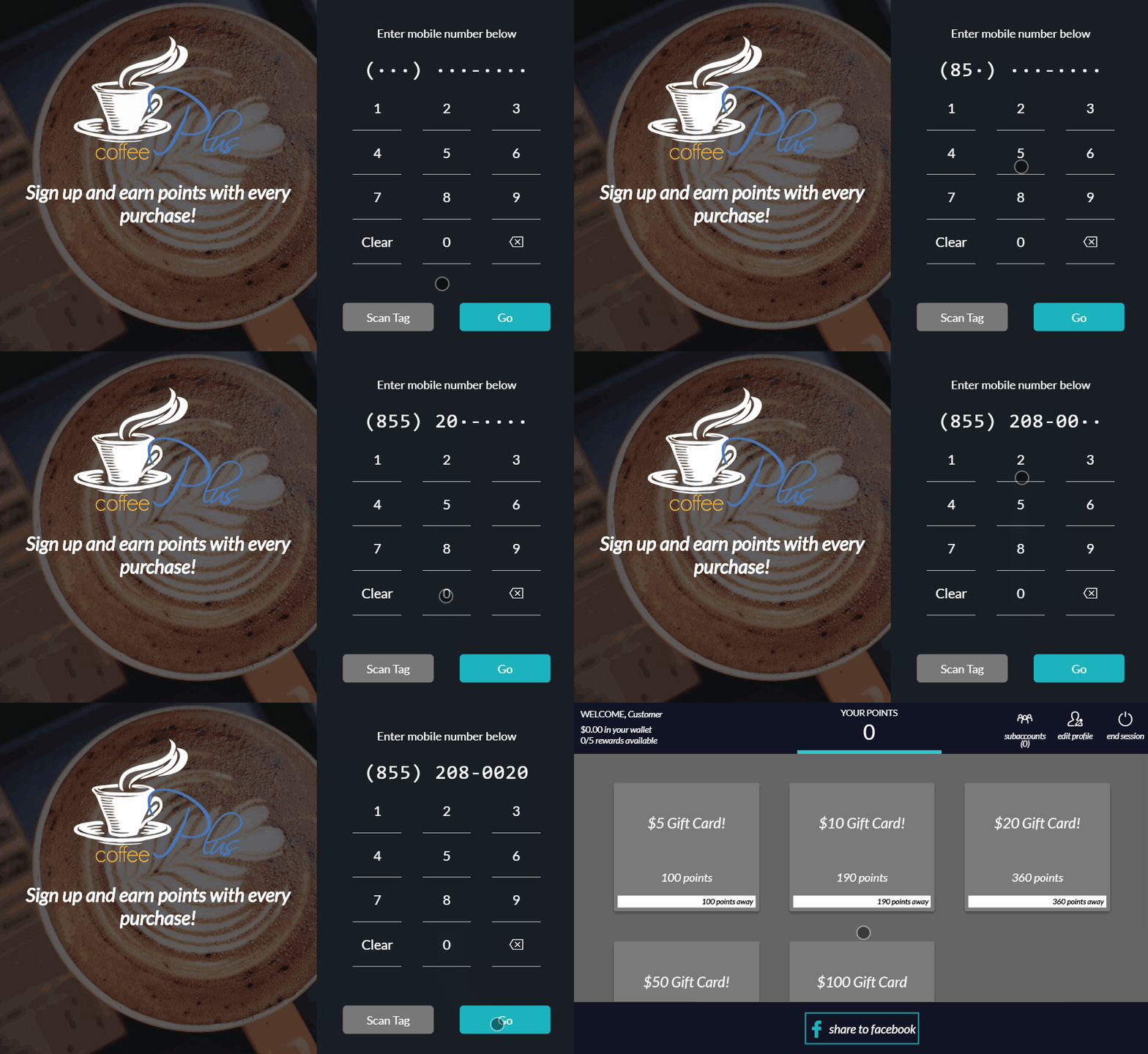
There is also the option to verify by SMS. This is good if you want to ensure customers are using their own number. You may want to do this depending on the type of customers you have in your store. People can still sign up and collect rewards, but will not get a sign up bonus or be able to receive SMS until they verify.
With this method customers will enter a phone number, then be sent an SMS. Customers are required to text back YES to enroll, then are given a link to complete their profile if they wish.

What If My Customer Makes a Typo?
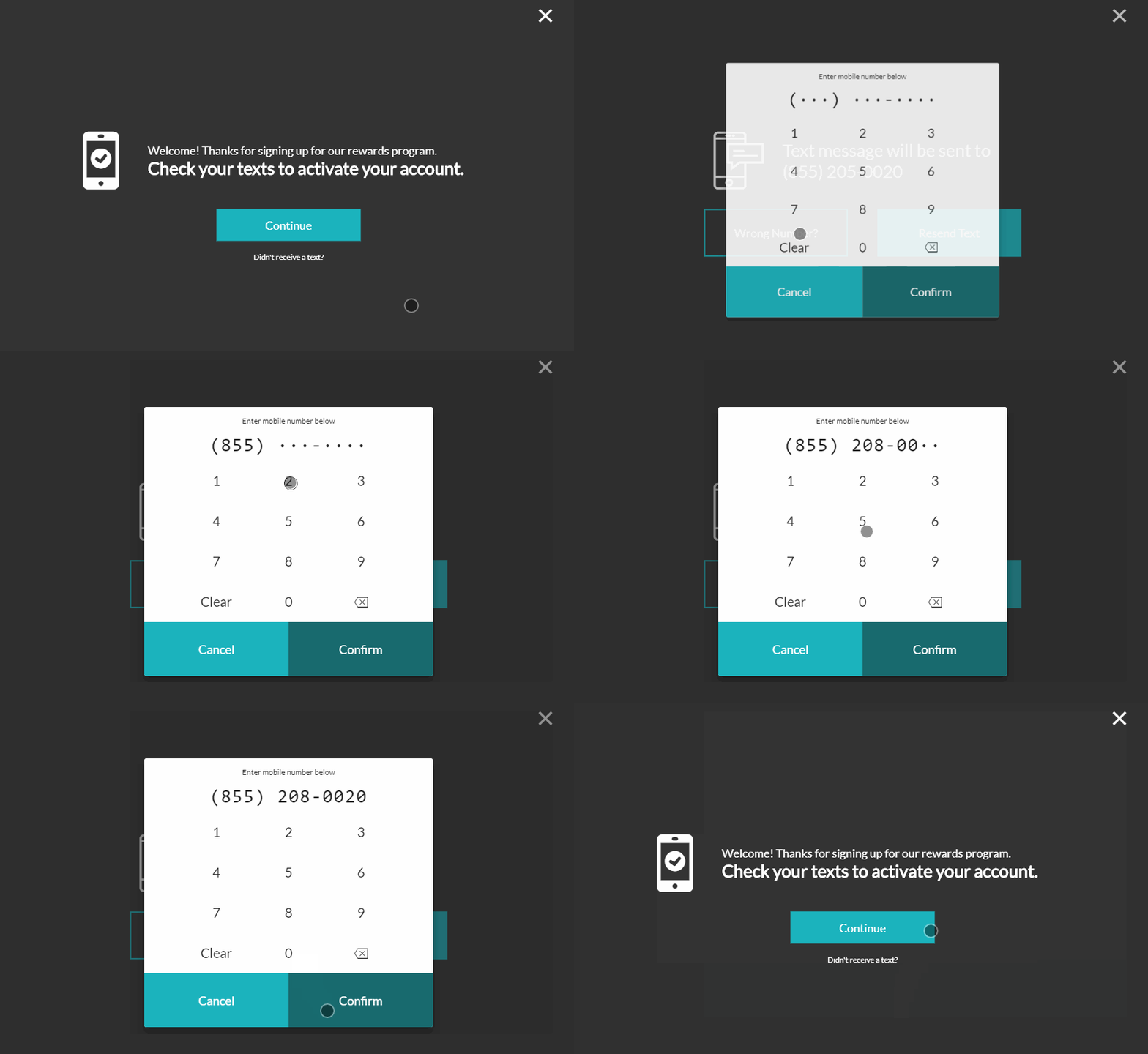
If your customer enters the wrong number accidentally they have the option to re-send the message and verify they entered the proper number.
- Select Didn't Receive a Text?
- Click Wrong Number?
- Re-Enter Number and confirm
- Tap Resend Text
How do I get Quick Registration?
If quick registration is something you'd prefer over our traditional UI just contact TapMango Support and request that your account, or specific device is switched over.
Questions?
If you have extra questions don't be shy and talk to us and we'll be happy to help!
Comments
0 comments
Article is closed for comments.