
When Would I Need to Assign a Keytag?
There may be cases where a customer needs to be assigned a keytag.
Never Had a Keytag
The customer may never have been assigned a keytag. Because our keytags are custom orders to a printer, often times merchants may start signing up customers via the TapMango Tablet, Quick Registration, SMS Sign Up, or Online Sign Up. It's also possible that your customer may have decided not to use a keytag, and later changed their mind.
This is the most common reason you'll assign a keytag to a customer.
Lost or Damaged Keytag
The other scenario is a customer may have a lost, stolen, or damaged keytag and need a replacement.
It's rare that this is needed.
What Do I Do?
Have a Keytag Ready
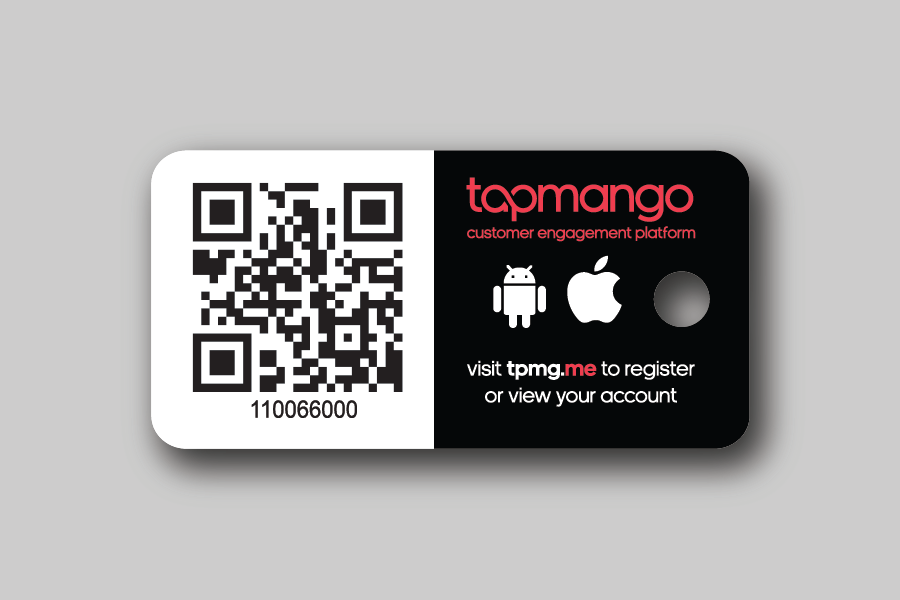
Before starting make sure you have an unused keytag ready for the customer, to assign to their account.
Bring Up the Customer

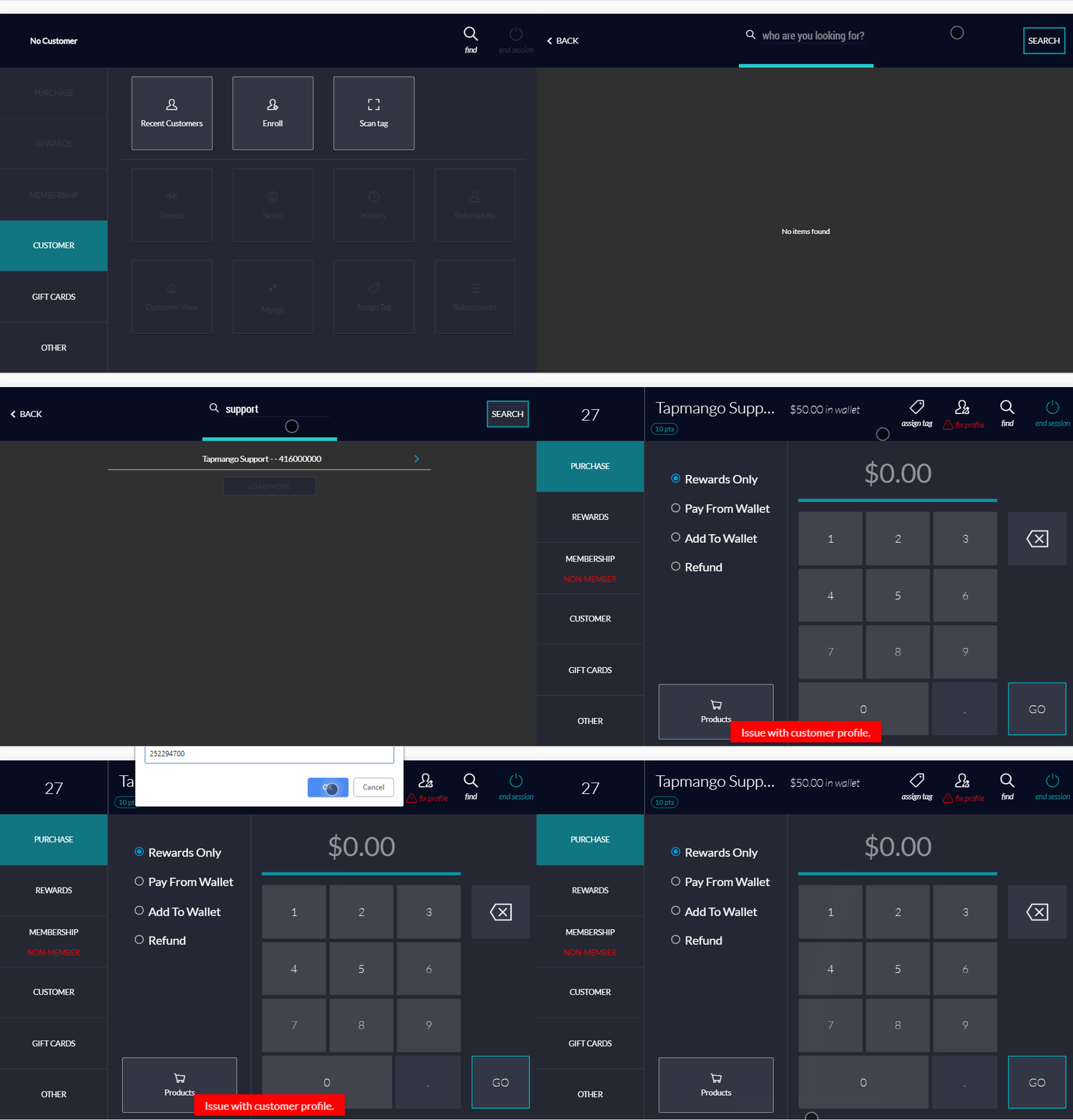
On the tablet's cashier side select find (You may also ask the customer to check in via enter-phone number)
Scan the new Tag
Once the customer has been checked-in and you're on the cashier side, select assign tag.
On the tablet, the camera will come up to scan the tag.
If you're using the desktop app you can enter a tag number, or use the paired TapMango tablet's camera.
Example Flow
Questions?
If you have extra questions don't be shy and talk to us and we'll be happy to help!
Comments
0 comments
Article is closed for comments.