
For information on this feature see our post to facebook feature article
For information on changing the comments see our guide on changing the facebook comments
Where Do I Go?
Depending on your setup you may already have a post to facebook trigger. We encourage all our clients to use this feature so it's very likely your sales consultant had talked to you about this and it's there.
Go To Campaigns
The post to facebook option is handled in your campaign manager. To get there go to http://portal.tapmango.com > campaigns > manage campaigns
 +
+
Find Your Campaign
If you're looking for the default campaign for post to facebook you'll find it in one of two places, depending on the age of your account.
It will either be in a campaign called Standard Campaign or Additional Rewards
Inside these campaigns there will be an activity using the trigger when customer posts to facebook
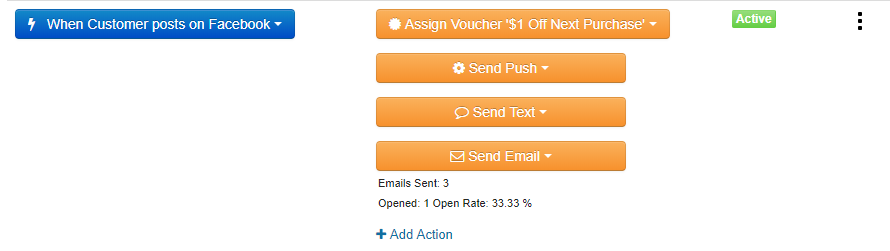
If you do not have one, then see our guide on creating campaigns to make one
Edit The Offer
To edit the offer you should have an action called Assign Voucher or Assign Points. Click this action and choose 'edit'.
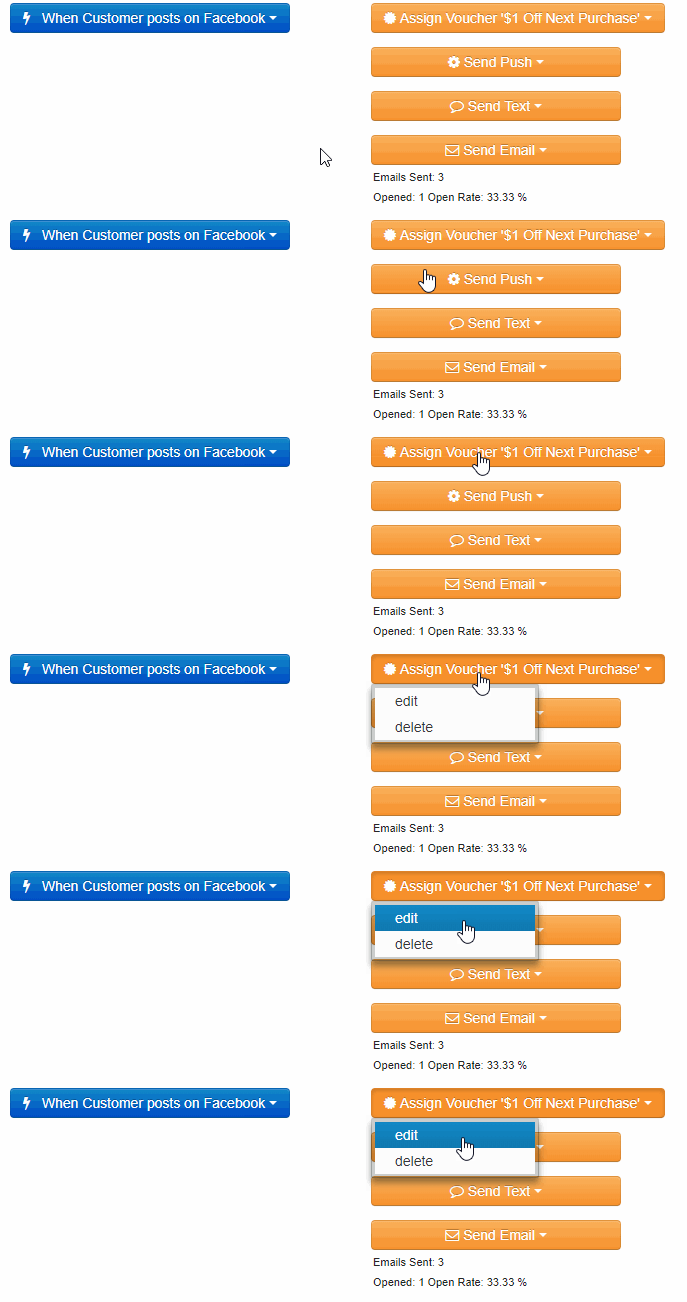
Change the Value, Save
Now you may change the value of the action or change it to a different action type.
You can use Assign Points for a point value, Load Wallet for wallet dollars, or Assign Voucher for a specific offer.
Once finished, save and all done.
Edit The Messages
You can also do the same with the message actions if you'd like. There is some default messaging - this is what a customer is sent when they complete the facebook post.
Additional Questions?
As always, if you have any additional questions that isn't covered in this guide do not hesitate to contact us and we'll be happy to help.
Comments
0 comments
Article is closed for comments.