
What is Post To Facebook?
The post to facebook feature allows you to award your customers for posting about your business on their own facebook page. The idea is the customers share this to your friends, and boost exposure of your facebook page.
How Does It Work?
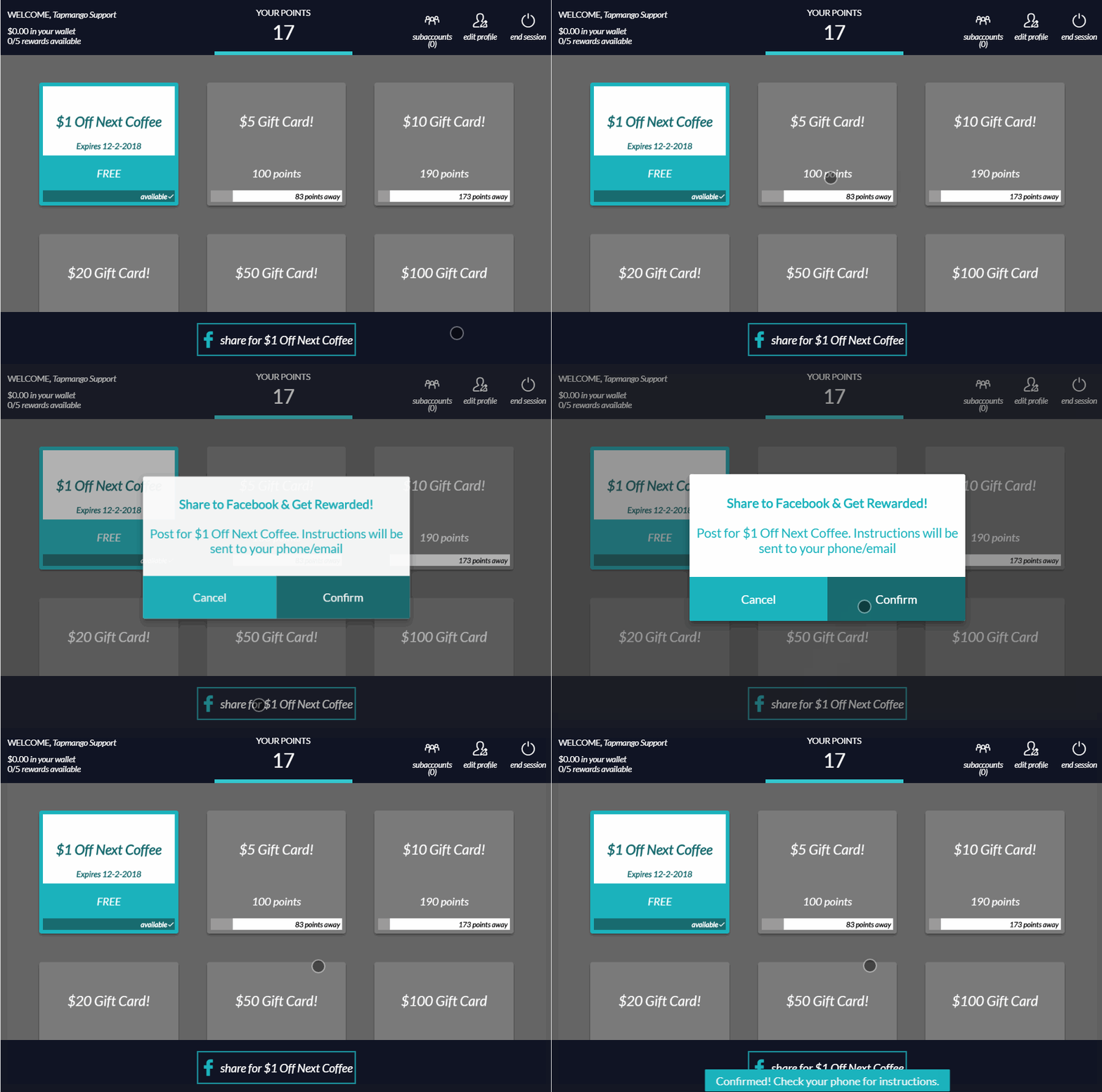
The process is simple. There's just a few steps.
Customer Checks In, and asks for a link.
The customer will need to check-in to the tablet and request a link by using the post to facebook option. This will email or text the customer a link to click, and start the process.

Choose a Message, Take a Photo, Confirm!
The customer is now taken through some steps asking them to choose a preset message that you can set. See:
Post To Facebook - How Do I Update The Comments?
After choosing a message the customer may upload an image. After this the customer confirms. If doing so on mobile the customer will be taken to their facebook app to add any final comments and complete the post.
Finish Up, Earn The Reward
Once complete the customers bonus is added to their account.
How Do I turn this on?
By default your sales consultant will have likely taken you through the process of creating a post to facebook prize. Should you ever want to change this, or decided you didn't want to have the feature on and now do check out:
Post To Facebook - How Do I Manage My Reward?
Additional Questions?
As always, if you have any additional questions that isn't covered in this guide do not hesitate to contact us and we'll be happy to help.
Comments
0 comments
Article is closed for comments.