
What is How To Earn?
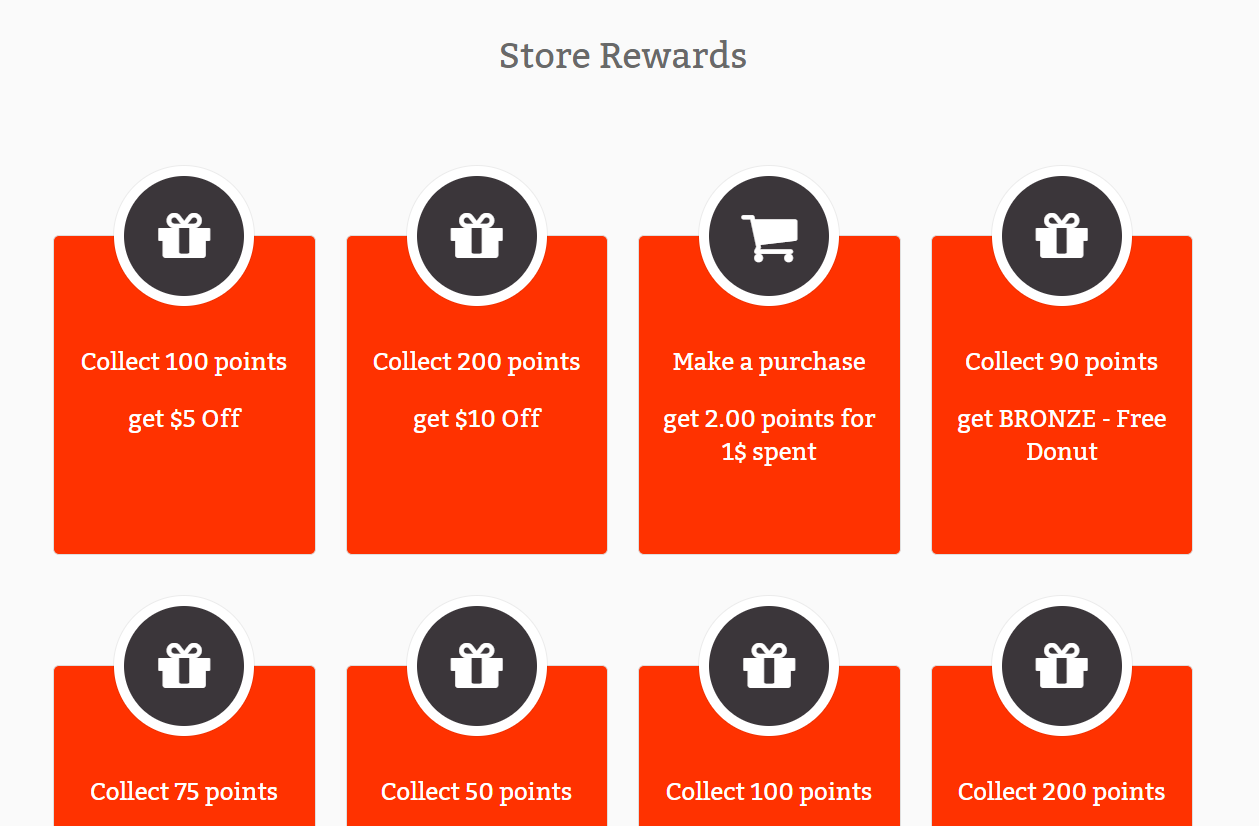
TapMango's how to earn feature can be used to display your program offerings on your online sign up page. The How to earn is also used for displaying information on the how to earn section of your Shopify eCommerce widget
The how to earn options are initially generated based on the campaigns you create, but can be customized.
How To I turn it On?
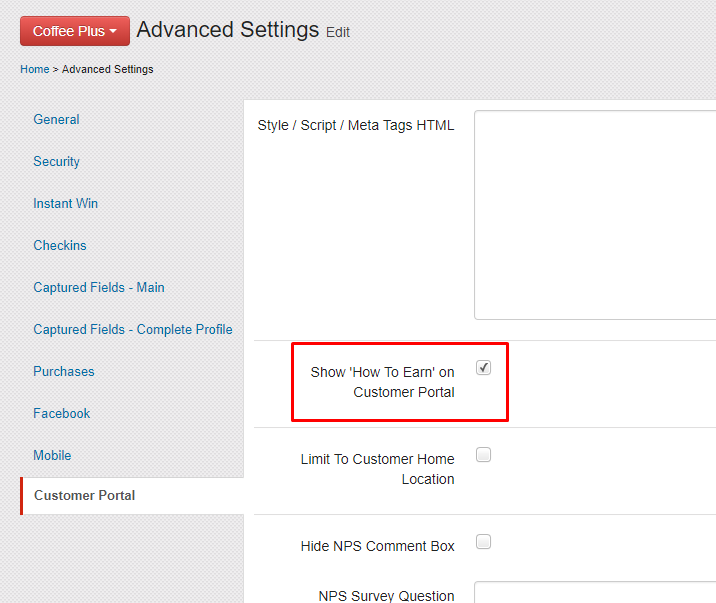
How to earn is an optional feature and must be turned on.
- Navigate to http://portal.tapmango.com > settings > advanced settings > customer portal
- check Show 'How To Earn' on Customer Portal
- scroll to the bottom and save.
Where can I find How To Earn?
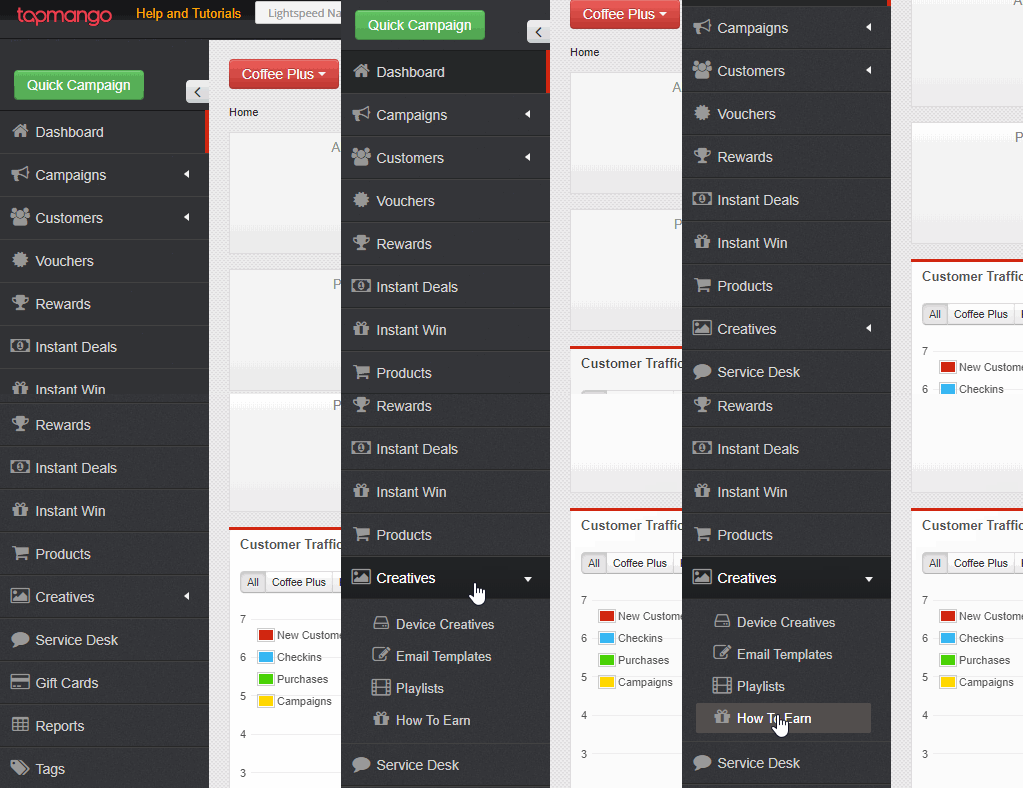
The how to earn feature is located under http://portal.tapmango.com > creatives > how to earn.
How does How To Earn Work?
Automatically Generated
Based on your rewards program setup we'll automatically create various how to earn items.
Automatically Updated
Whenever you change parts of your program the how to earn will be updated. Example: If you change your dollar to point ratio then the Spend how to earn will be updated to show the proper values.
Customization
If you edit a how to earn item it will stay that way. This way if you want to customize how something appears, but change what had automatically created the item to begin with your work will not be overridden.
Add Your Own
You don't need to rely on automatically created how to earn items. You can add your own and customize what appears on them as well. You can even add links!
What Is Available?
The following types of how to earn items are available:
 Birthday
Display what offer your customer will earn for their birthday
 Spend
Spend
Display your dollar to point ratio and how to earn points off money spent
 Collect
Display your rewards and point costs
 Register
Display your sign up bonus
 Refer
Refer
Display what offer is given to your customers for referring friends, or the unique bonus referred customers receive on sign up
 Visit
Visit
Display a check-in bonus or how to earn points based on check in
 Buy
Buy
Display points for products or frequent purchase program such as Buy 5 Get 1 Free
How Do I Edit, or Create My Own?
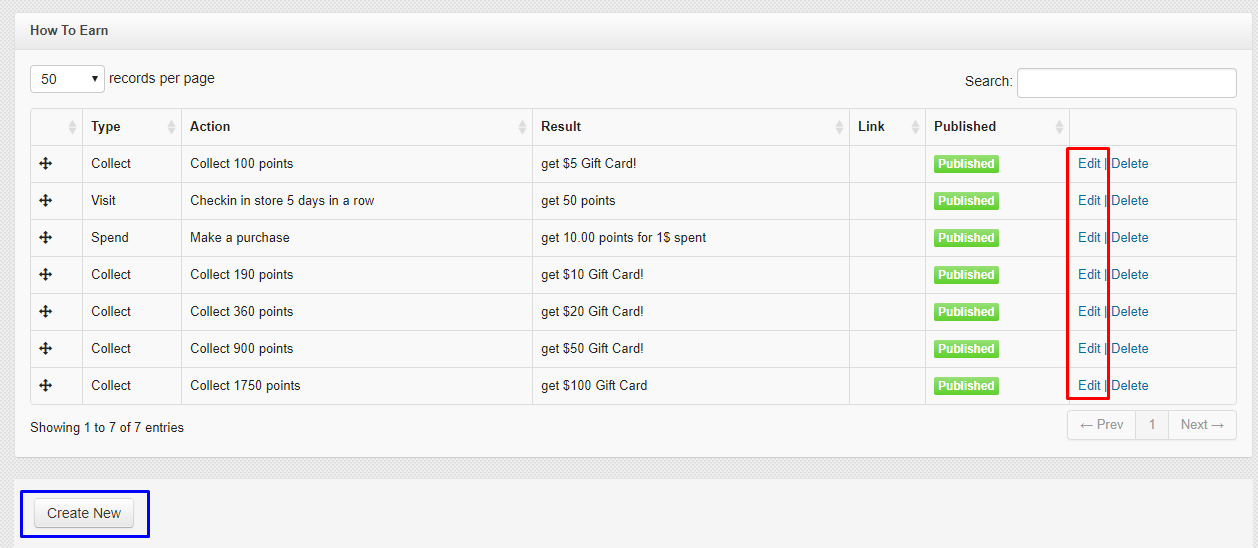
To edit existing how to earn select edit.
To create a new how to earn click Create New
What does each field mean?
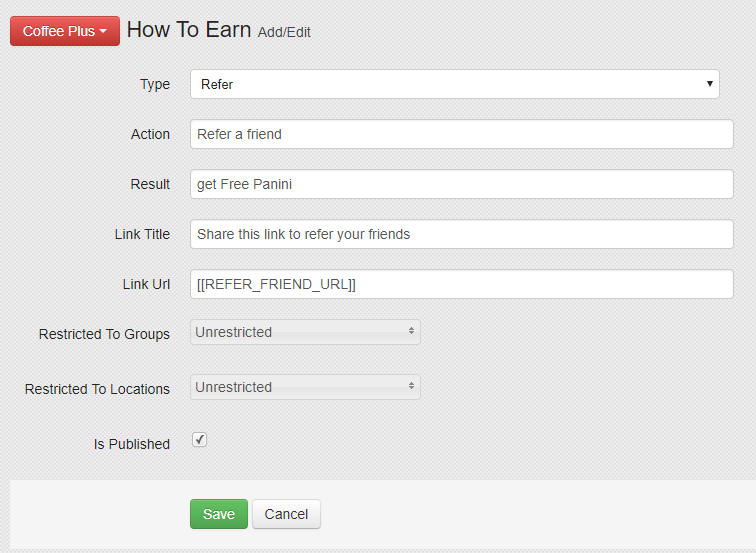
There's a few fields to fill out.
Type
The purpose, or type of the how to earn. This determines the icon that appears. See the above section for more information.
Action
A description of what the customer must do. Example:
- Purchase 5 Coffees
- Spend Money In Store
- Visit 5 Times
- Register
- Refer your friends
Result
A description of what the customer is given. Example:
- Get your 6th Free
- Earn 5 Points for Every Dollar Spent
- Get 10% Off
- $5 Off your First Purchase
- $10 Referral Credit
Link Title
Optional - If you want to include a link. This is the title the appears above the link
Link URL
Optional - If you want to include a link this is the URL. The URL can be general -- example your online store. It can also be contextual if the customer is signed in -- example: [[REFER_FRIEND_URL]]
Restrict To Groups
For signed in customers this will restrict the how to earn from appearing for members not in the specified groups.
Restrict to Locations
For signed in customers this will restrict the how to earn from appearing for members not in the specified Locations
Is Published
If unchecked, the item can be saved/edited but will not appear on your Shopify eCommerce widget or customer portal.
Example of how a Refer type could look
Questions?
If you have extra questions don't be shy and talk to us and we'll be happy to help!
Comments
0 comments
Article is closed for comments.