
Delivery
TapMango's delivery feature is a great way to facilitate the process for your own drivers, or allowing a 3rd party company limited access to your platform to complete deliveries for your customers.
Check out our video guide for a simple overview
Turning On Delivery
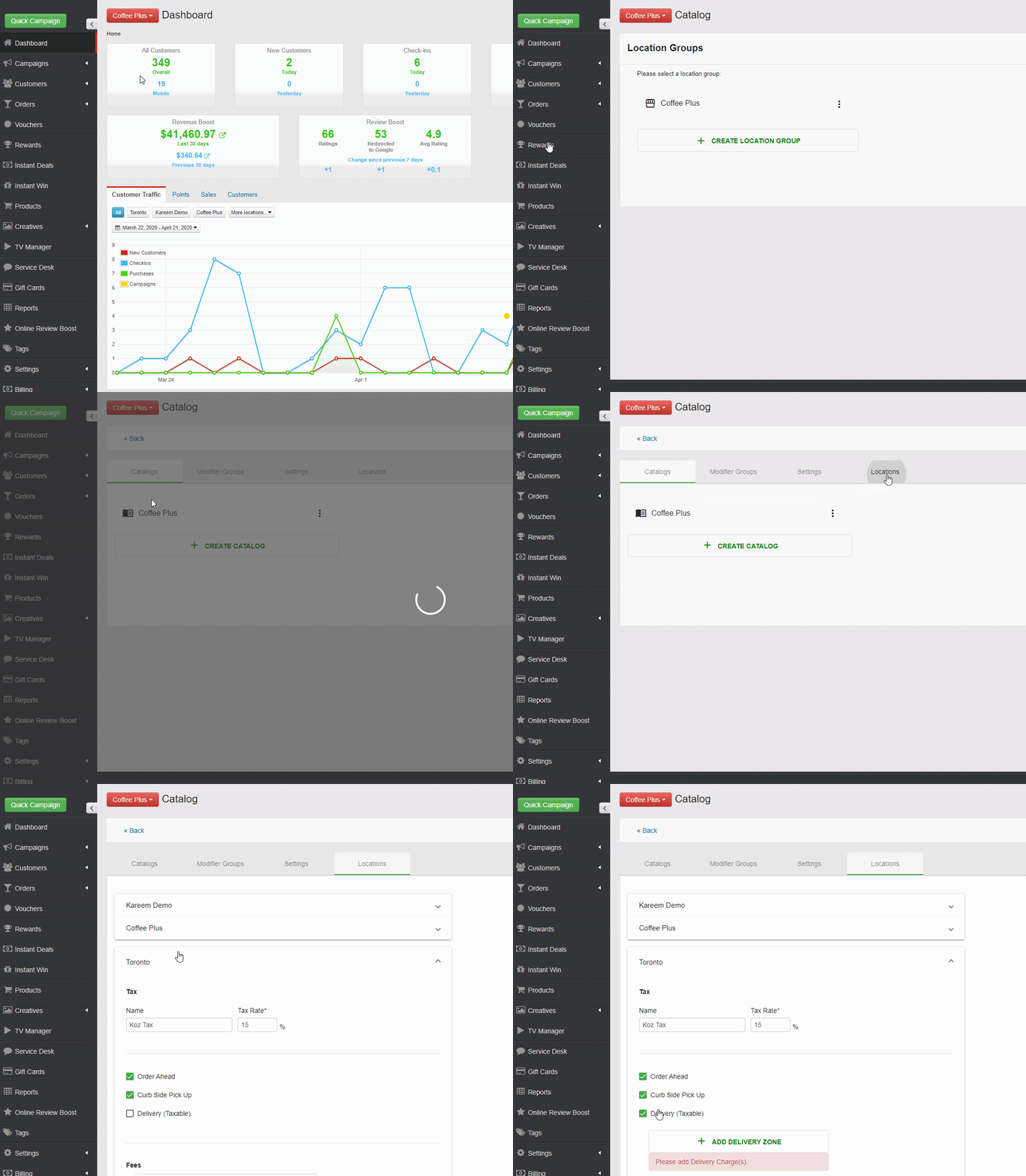
Delivery is easy to turn on. Just navigate to your menu catalog to get started:
- Select Orders > Catalog
- Select the Location Group you'd like to turn on Delivery for
- Select Locations, find your location and check the option for Delivery
Adding Fees
TapMango's delivery feature also offers flexible fees. These are simple to add.
To add a fee:
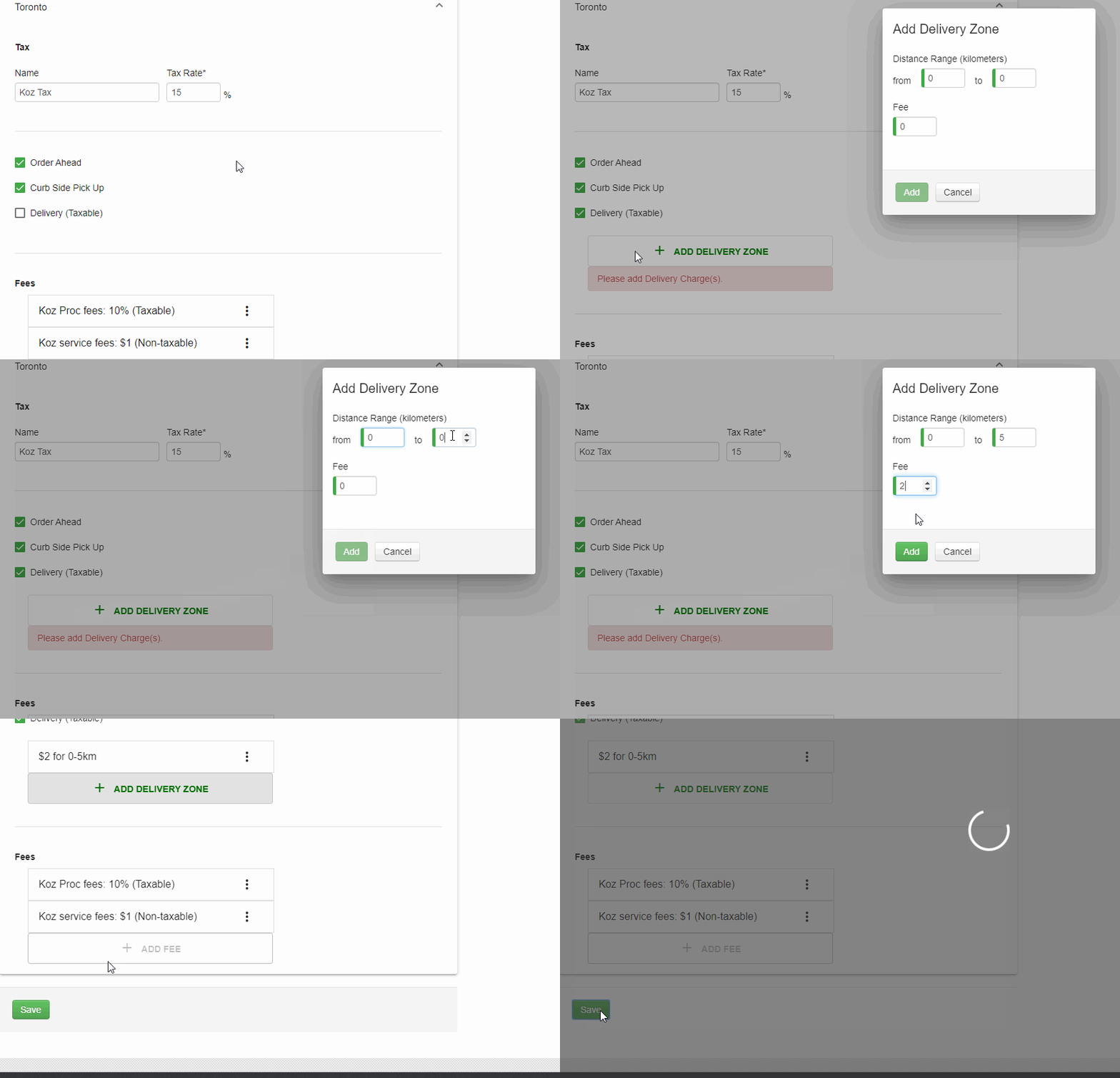
- Once delivery is turned on you'll see an +ADD DELIVERY FEE option
- You'll get a pop up and be able to enter a new Delivery Zone
- Add a range in kilometres (KM) to cover from the store's location
- Add a fee that you want to charge for this range
- When finished save at the bottom of the screen
Adding your Drivers
For either using a 3rd party service or your own staff to deliver your goods you'll need to have people with the Delivery User permission on your account. This is needed to mark the orders as complete at the time of delivery, so you and your customer get proper updates about what's going on.
Check out our Driver Accounts guide for more information
Rules About Delivery Fees
There's some things to keep in mind about fees and delivery zones
- Delivery fees must be added per location
- At least one delivery zone is required to offer delivery
- The radius of the delivery zone is based on the address of the location the order is placed to
- You may not have 2 delivery zones overlap
- ex: you cannot have a zone for 0-5km and 4-10km
- If a customer's delivery address is not within the zones your make available, delivery cannot be used.
Advise About Delivery Fees
While these are not mandatory rules, there are some best practices we recommend:
- Fees should be reasonable and competitive. If you place your fees too high you may find customers not wanting to place orders.
- A good rule is to use fees to offset the cost of delivery - not to profit.
- When offering delivery, unless there's a specific reason, it's a good idea to make your lowest zone start at 0km from the store otherwise customers too close cannot order at all
- Delivery zones should start and end with the same distance, otherwise you may have a gap where customers
- Ex: If you have your first zone of 0-5km with a $1 fee, and a second zone of 10-20km then any customer between 5km and 10km will not be able to place an order
Questions?
If you have extra questions don't be shy and talk to us and we'll be happy to help!
Comments
0 comments
Please sign in to leave a comment.