
What is Curbside Pickup?
Curbside pickup is an easy to use feature in TapMango's mobile ordering suite that allows your customers to place orders, but indicate they won't be coming into the store. This is an excellent feature for businesses that want to allow customers added flexibility in how they receive their orders, while enhancing customer service.
A note about COVID-19
TapMango is strongly recommending our partners take advantage of the curbside pickup feature during the COVID-19 crisis.
We understand how important it is to keep your business running while maintain a connection with your customers, but we also strongly believe in social distancing.
Curbside pick up allows your business to service customers, while following social distancing behavior, keeping your staff and customers safer.
Advertise your Web Ordering
See our guide on advertising your web ordering for more details. It's simple, you just send an email!
Turning On Curbside Pickup
Curbside pickup is easy to turn on. Just navigate to your menu catalog to get started:
- Select Orders > Catalog
- Select the Location Group you'd like to turn on Curbside Pickup for
- Select Locations, find your location, and check the curbside pickup
- Save when finished
How Does Curbside Pickup Work?
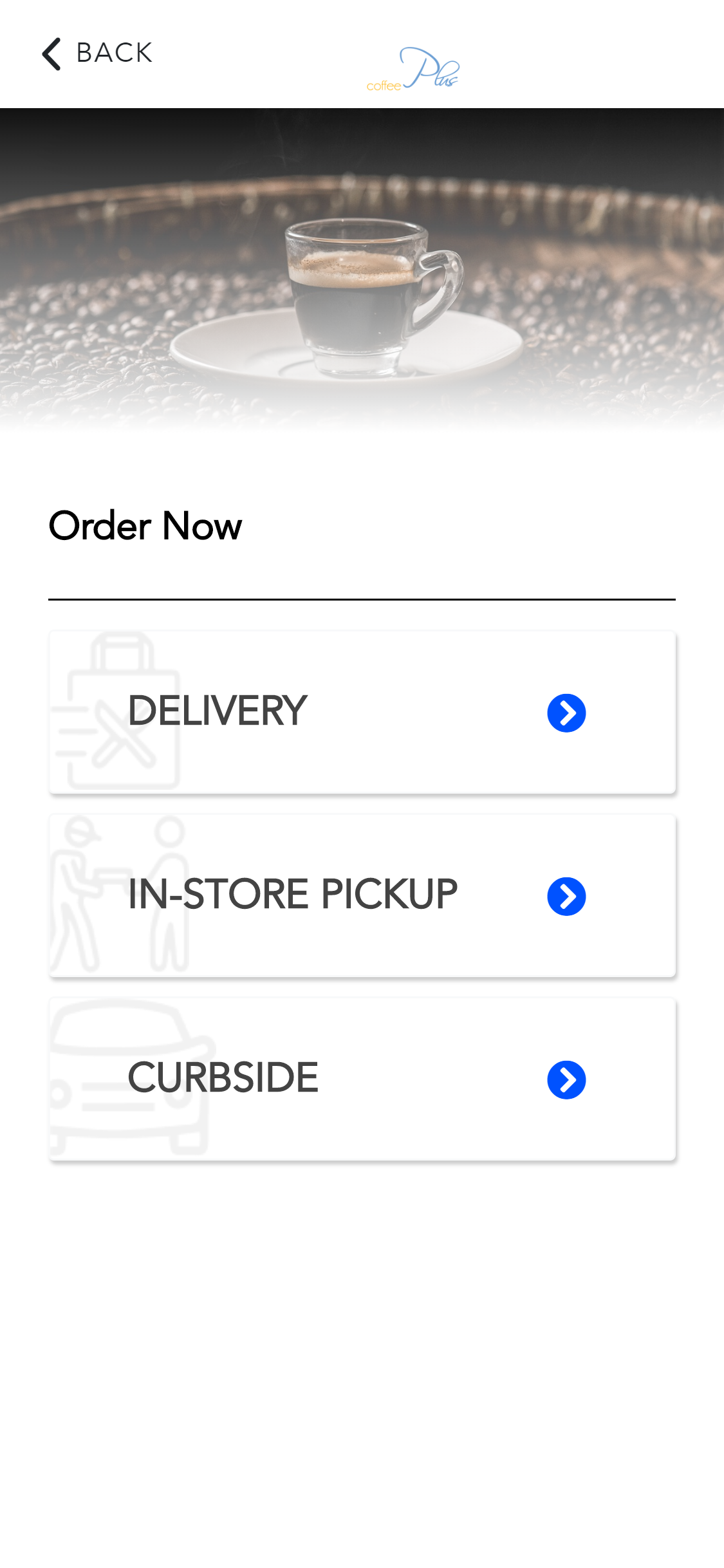
Curbside pick up is very simple, customers will now see it as an option when selecting their order preferences.
What your Customers do
- Choose a location the order will be placed at (if you have only one location, this step is skipped)
- On the Order Ahead screen customers will first be asked:
- Pickup Time
- Today / ASAP
- Future
- Pickup Time
-
- Pickup Method
- In-Store
- Curbside
- Pickup Method
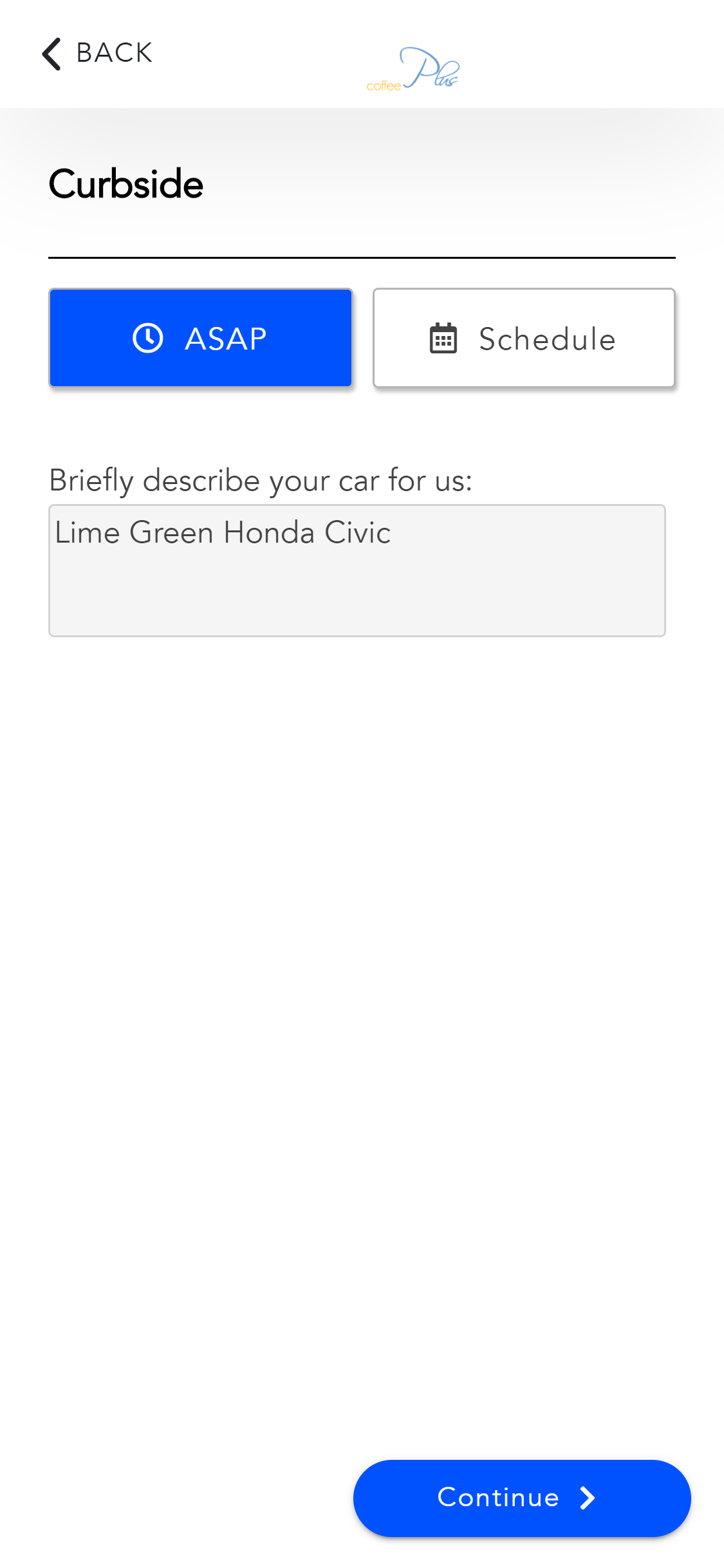
- When customers select Curbside as their pickup method there will be a new prompt
- Customers enter a description of their car, or how to identify themselves when they arrive
(ex: car make/color, license plate, or even clothing) - The customer continues to place the order as normal
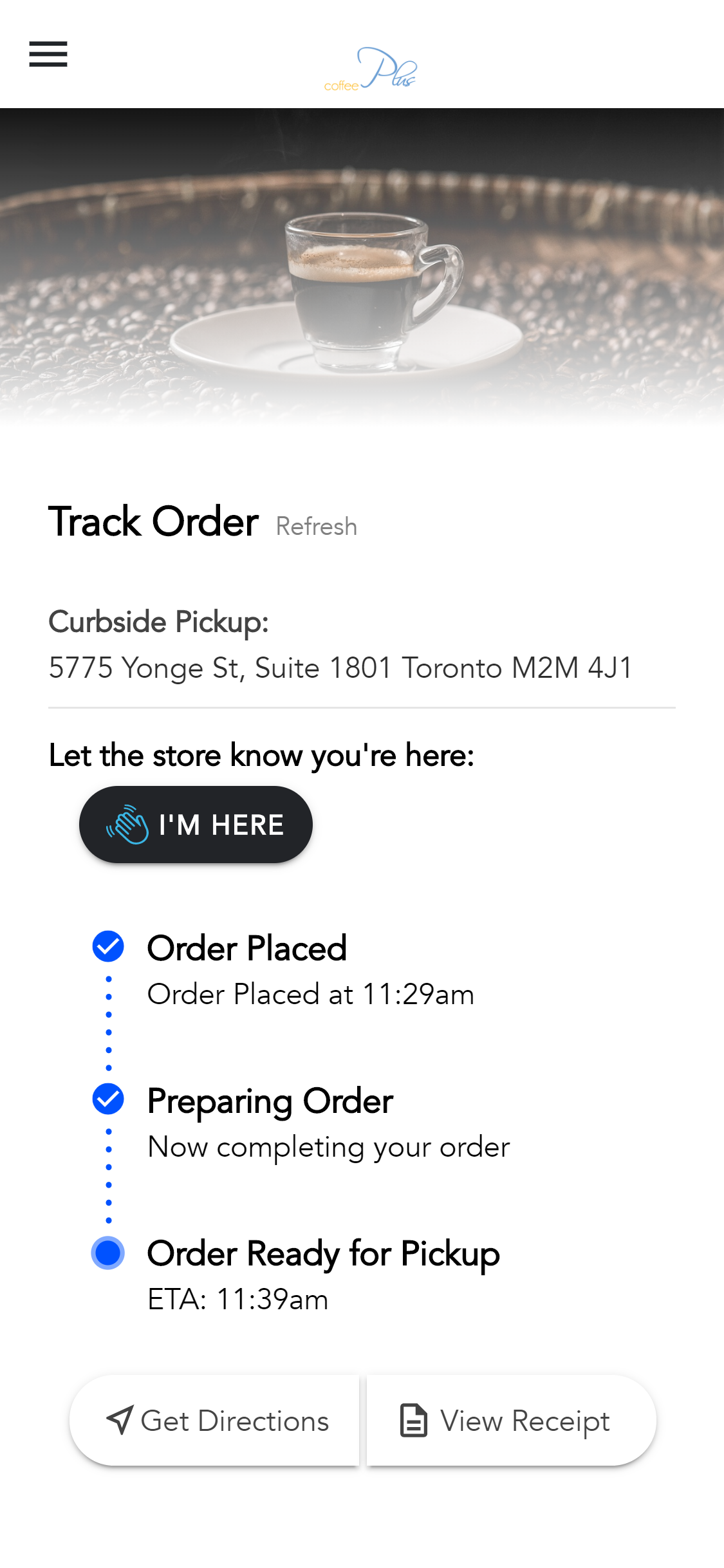
- Customers can access their order and announce “I’m here” to have their order delivered to curbside.
Ordering Options
|
Curbside Options
|
"I'm Here" Option
|
What you and your Staff do
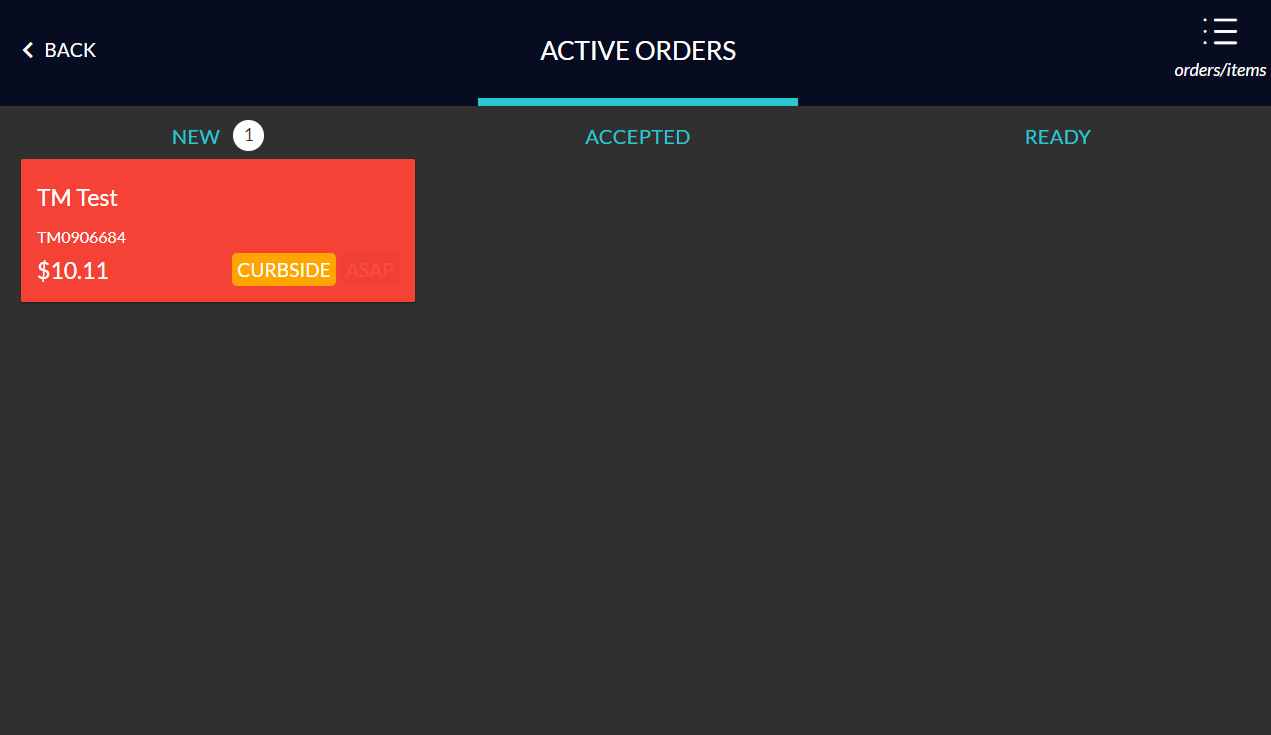
- You'll receive an order notification as normal on your tablet's cashier side
- This order will have a new notification type CURBSIDE
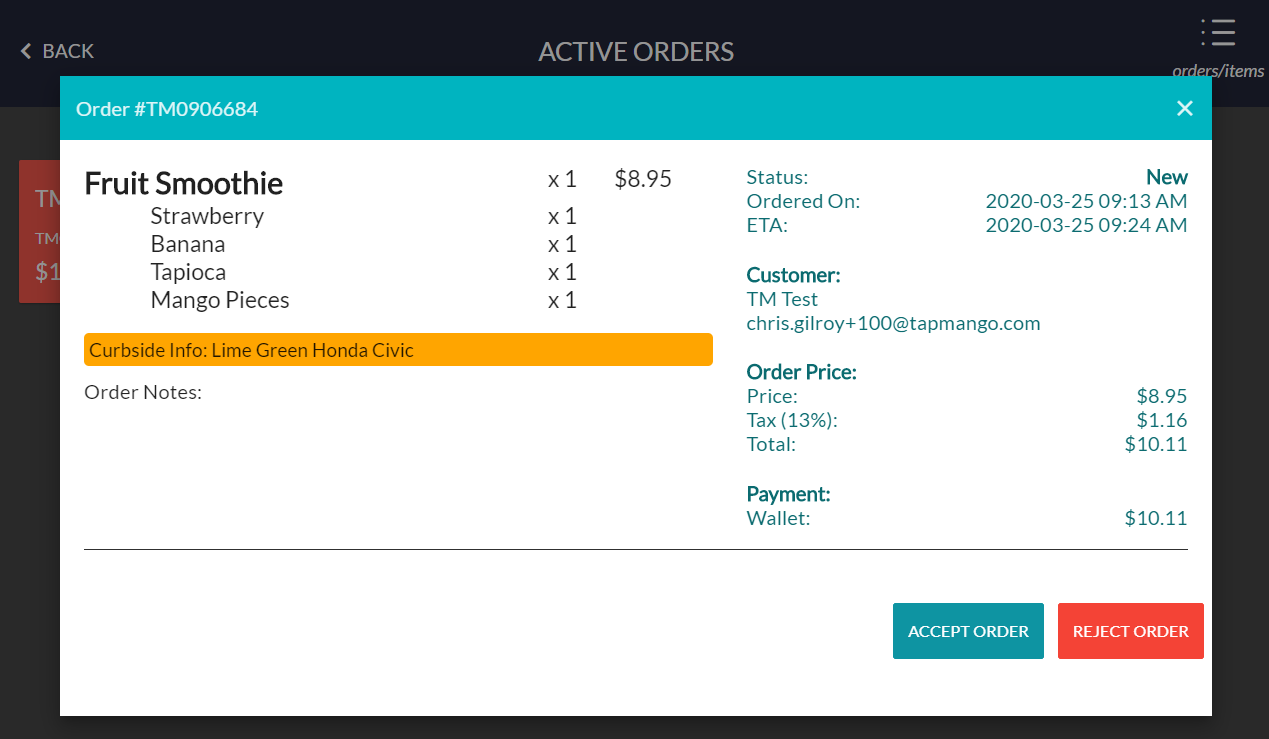
- When this order is selected, the curbside info will display (what your customer entered) and the order can be accepted as normal
- Complete your order as normal and mark it ready for pick up, when the order is ready
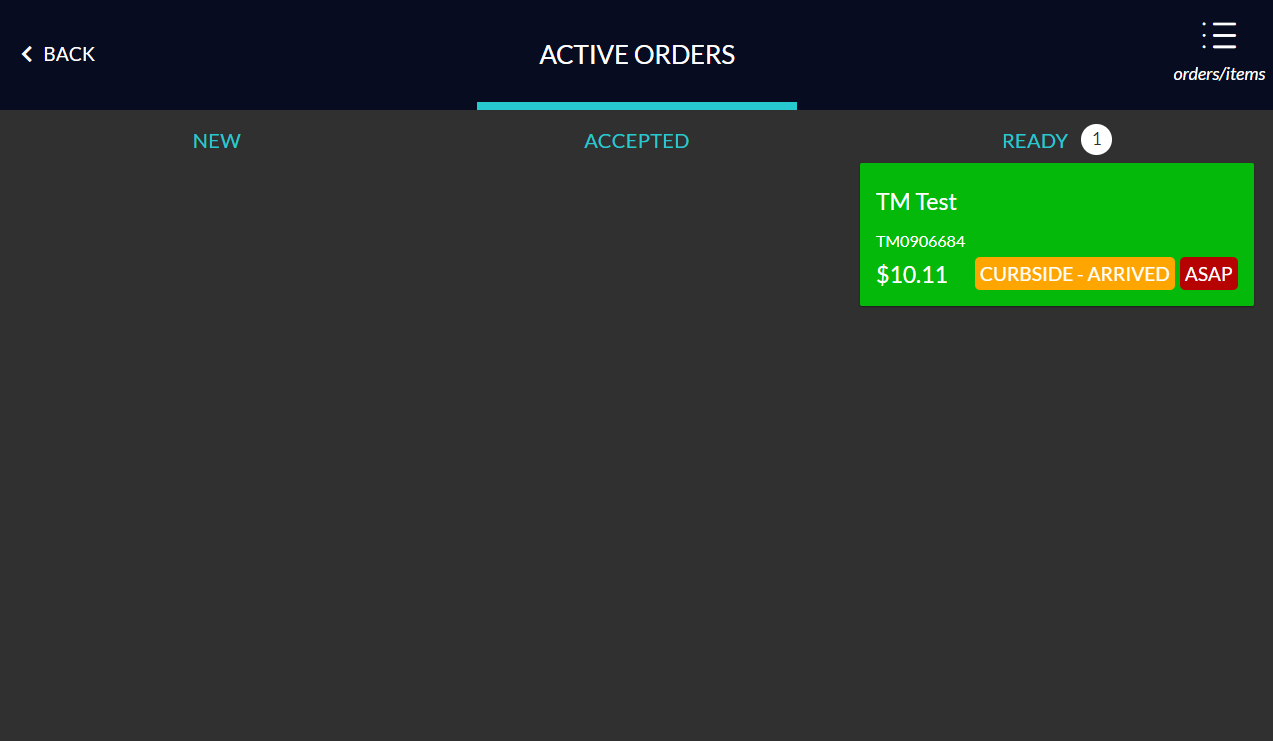
- When a customer selects I'm Here there will be an additional notification with a flashing CURBSIDE - ARRIVED notification so your staff know they can take out the order, using the notes provided to know who to take the order too.
- Mark the order as picked up when finished
A New Curbside Order
|
A New Curbside Order Details
|
A Curbside Order Where The Customer has Arrived
|
Questions?
If you have extra questions don't be shy and talk to us and we'll be happy to help!
Comments
0 comments
Article is closed for comments.